Northstar Explorer 538i/538 Installation and Operation Manual
15
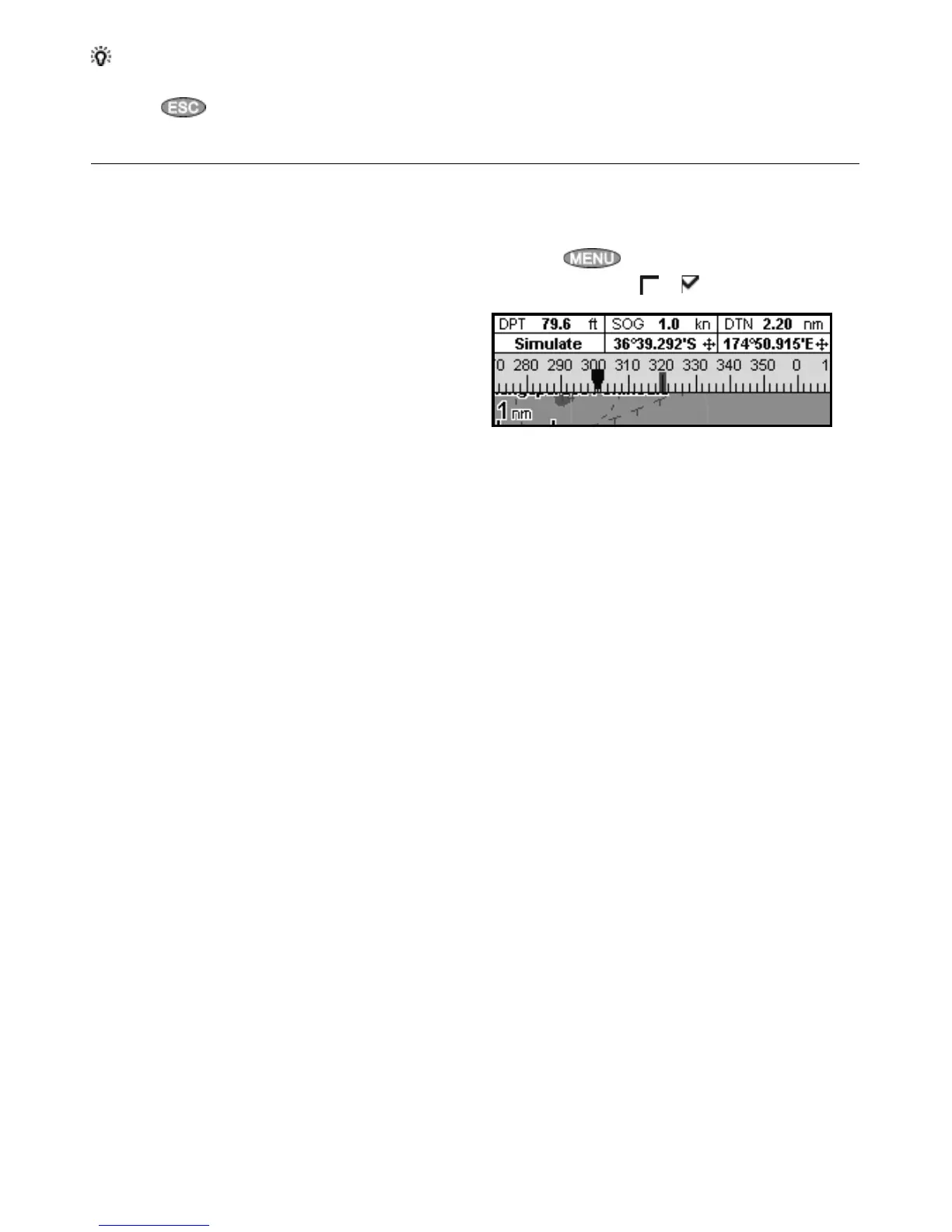
The chart and highway displays can show a
compass at the top of the display.
The compass always shows the boat’s course over
ground (COG), a red symbol in the middle. When
the boat is navigating to a point, the compass
also shows bearing to the destination (BRG), a
black symbol.
In this example, BRG is [300]° and COG is [320]°.
To turn the compass off or on:
1 Press
and select Data header.
2 Set Compass to or .
2-8-3 Compass
Tip: If less than the maximum number of lines of data are used, the data will take up less of the
display area.
5 Press
to return to the display.



 To Next Page