Northstar Explorer 538i/538 Installation and Operation Manual
29
The satellite display has information about the
GPS satellites and GPS position.
To go to the satellite display, press
, select
Other, then select Satellite.
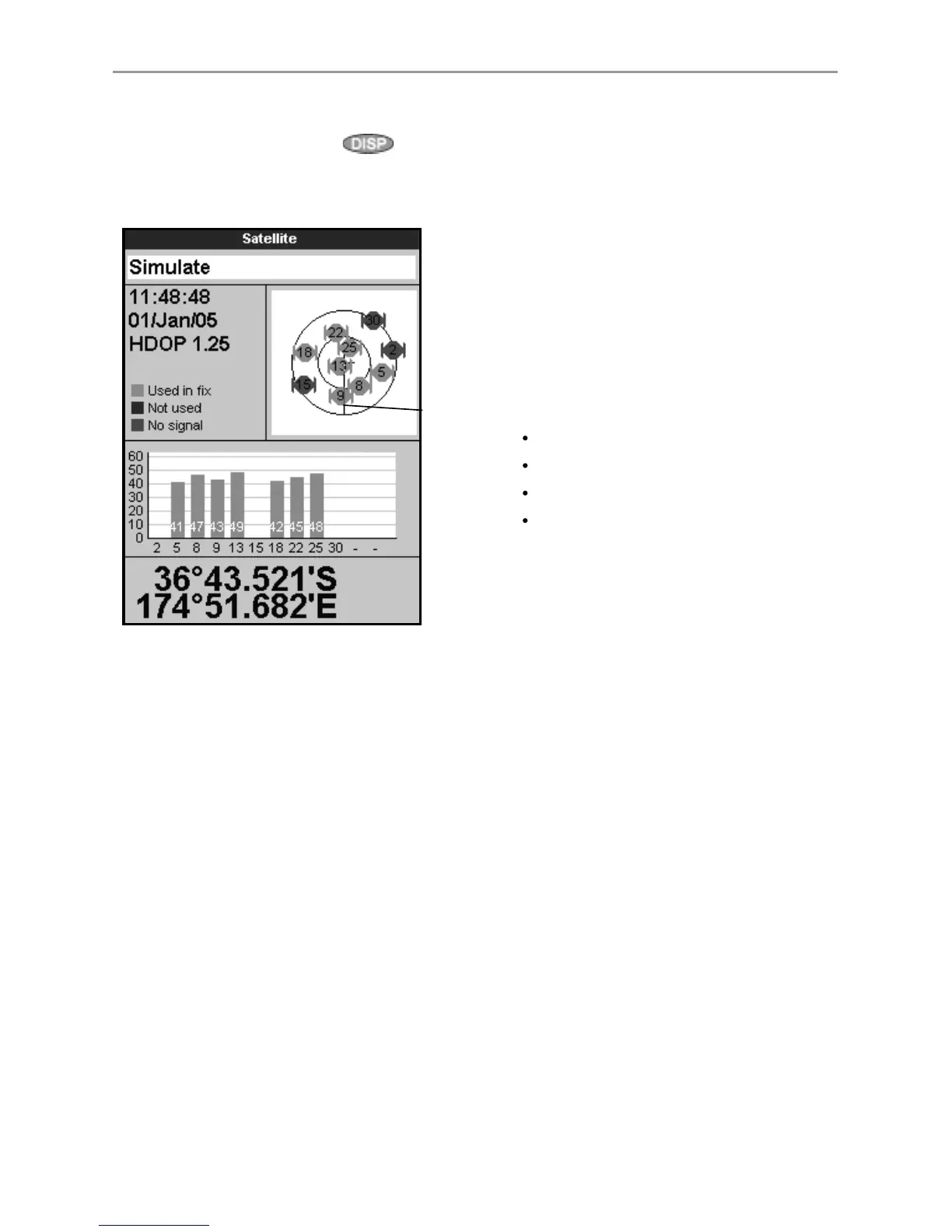
The satellite display shows:
7-1 Satellite display
A
C
D
B
E
G
F
A Status of GPS antenna, for example Acquiring,
GPS fix, No GPS. If the unit is in Simulate
mode it displays Simulate (see section 2-7)
B Time and date from GPS satellites. Time is
local time (UTC [GMT] plus local offset, see
section 14-11)
C HDOP: The error in the GPS position caused
by satellite geometry. A low value indicates a
more precise fix, a high value a less precise fix
D Signal strengths of up to twelve visible GPS
satellites. The higher the bar the stronger the
signal
E Boat position
F Positions of visible GPS satellites:
Outer circle is horizon
Inner circle is 45° elevation
Centre is directly above
North is at top of display
G If the boat is moving, COG is a line from
centre



 To Next Page