Northstar Explorer 538i/538 Installation and Operation Manual
31
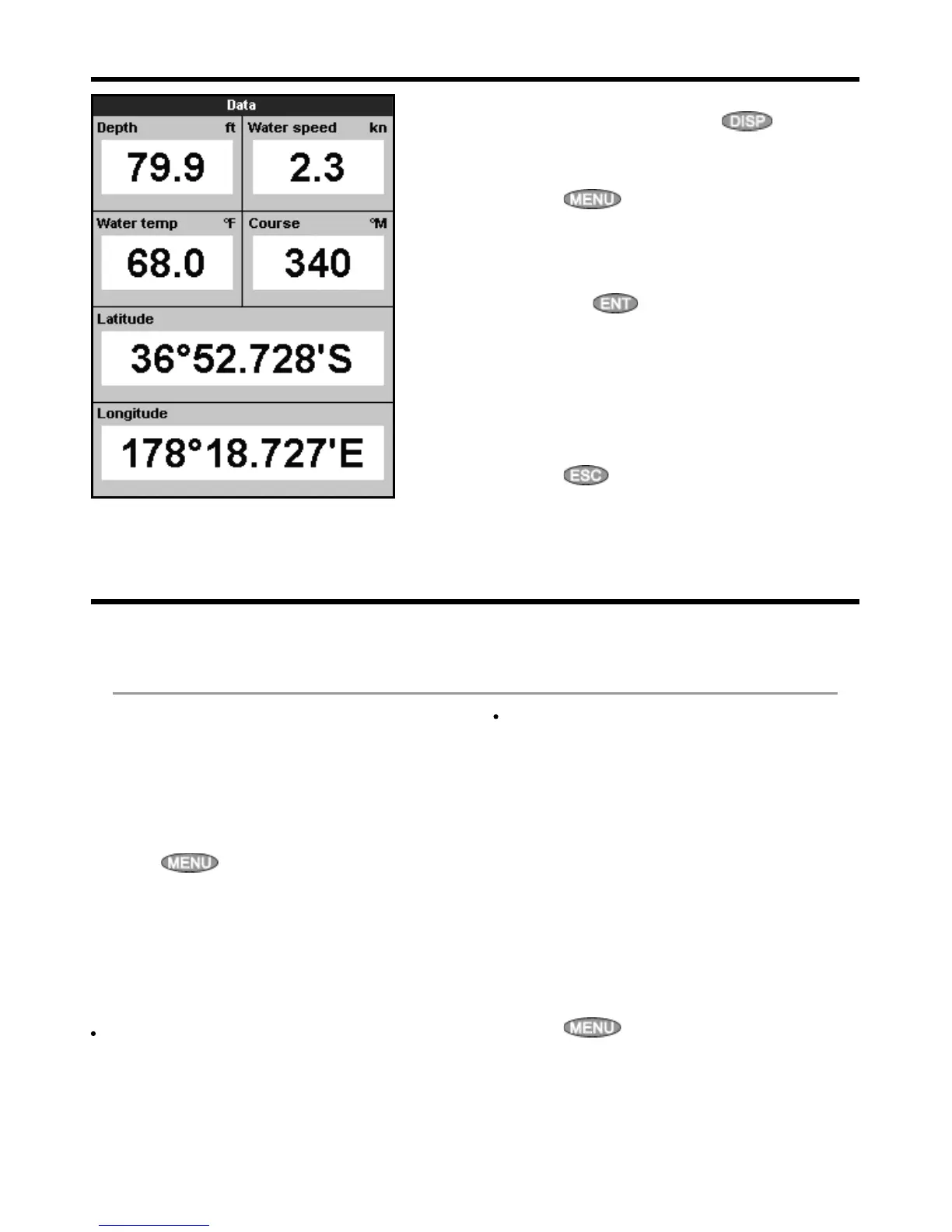
9 Data display
The data display has large numeric data fields.
To go to the data display, press , select
Other, then select Data.
To select what data is displayed:
1 Press
and select Data setup.
2 Change a data field:
i Press the cursor keys to highlight the
field.
ii Press
to display a menu of data
items.
iii Select a data item that is available on your
system or select
None to leave the field
empty.
3 Repeat the above step to set the other data
fields.
4 Press
.
10 Fuel functions and display
The Fuel functions require optional fuel sensors to be installed.
10-1 When you add or remove fuel
When you add or remove fuel in a boat with no
SmartCraft fuel tank level sensors, you must tell
the Explorer, otherwise
REMAINING, RANGE
and the low fuel alarm will be meaningless.
A When you completely fill the tank
1 Fill the tank.
2 Press
one or more times until the
Setup menu is displayed, then select
Fuel.
3 Select Tank full.
Note: Underfloor fuel tanks are often difficult to
refill to the same level twice, due to air pockets.
With underfloor fuel tanks:
Trim the boat to the same angle in the water
each time you follow procedure A.
Mostly use procedure B below when adding
fuel, but completely fill the tank and follow
procedure A about every tenth time you add
fuel.
B When you part fill the tank
1 Before adding fuel, go to the fuel display and
write down the value of Remaining, which is
the amount of fuel now in the tank.
2 Add fuel to the tank, writing down how much
you add.
3 Add together the two figures you have
written down, to calculate the amount of fuel
now in the tank.
4 Press
one or more times until the
Setup menu is displayed, then select Fuel.



 To Next Page