ATG-2 Audio Tone Generator 5. Voice Alarm Systems
AFP-300/AFP-400 Operations PN 50260:C1 05/22/97 33
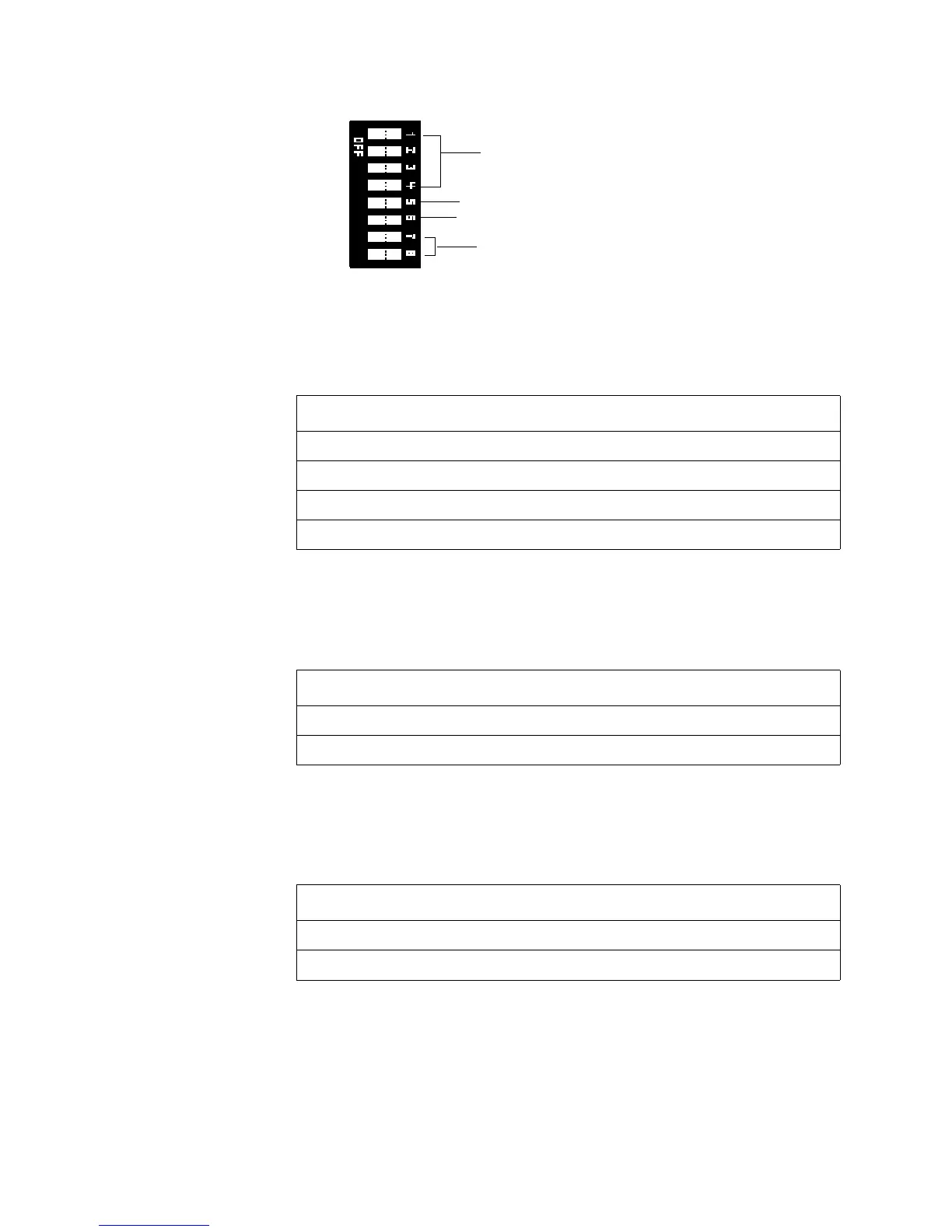
Figure 34 shows the functions of the ATG-2 DIP switch pins:
Figure 34 ATG-2 DIP Switch S1
Selecting a Primary
(Evac) Channel Tone
Switch S1 rocker switches 1–4 are used to select one of the following tones: slow
whoop, Hi/Lo, or steady tone. Select a tone by setting rocker switches as shown in
Table 27:
Table 27 Evacuation Tone Settings
Selecting a Secondary
(Alert) Channel Tone
The ATG-2 can produce a chime or a 20 pulses-per-minute tone on the secondary
(Alert) channel. To select tones for the secondary channel, set S1 rocker switches 7 and
8 in one of the combinations shown in Table 28:
Table 28 Secondary (Alert) Tone Settings
Select Operating Mode You can set the ATG-2 for one of two modes of operation: 1) remote paging only; or 2)
tone generation and paging capability. Set S1 rocker switches 5 and 6 as shown in
Table 29. After setting rocker switches, test the ATG-2 for proper operation.
Table 29 Operation Mode Settings
Select to use the ATG-2 in a remote paging application.
Select to use the ATG-2 as the main paging/tone generator.
Select Primary (EVAC) channel tones.
Select Secondary (ALERT) channel tones.
DIP Switch Whoop Hi/Lo Steady
1 Off On On
2On Off Off
3On On Off
4 Off On Off
DIP Switch Chime 20 PPM
1Off On
2On Off
DIP Switch Remote Paging Only Paging and Tone Generate
5On Off
6Off On
Technical Manuals Online! - http://www.tech-man.com













 To Next Page