Installing Printers Section 3 Installation
NFS-3030 Installation PN 51330:C 10/28/2003 43
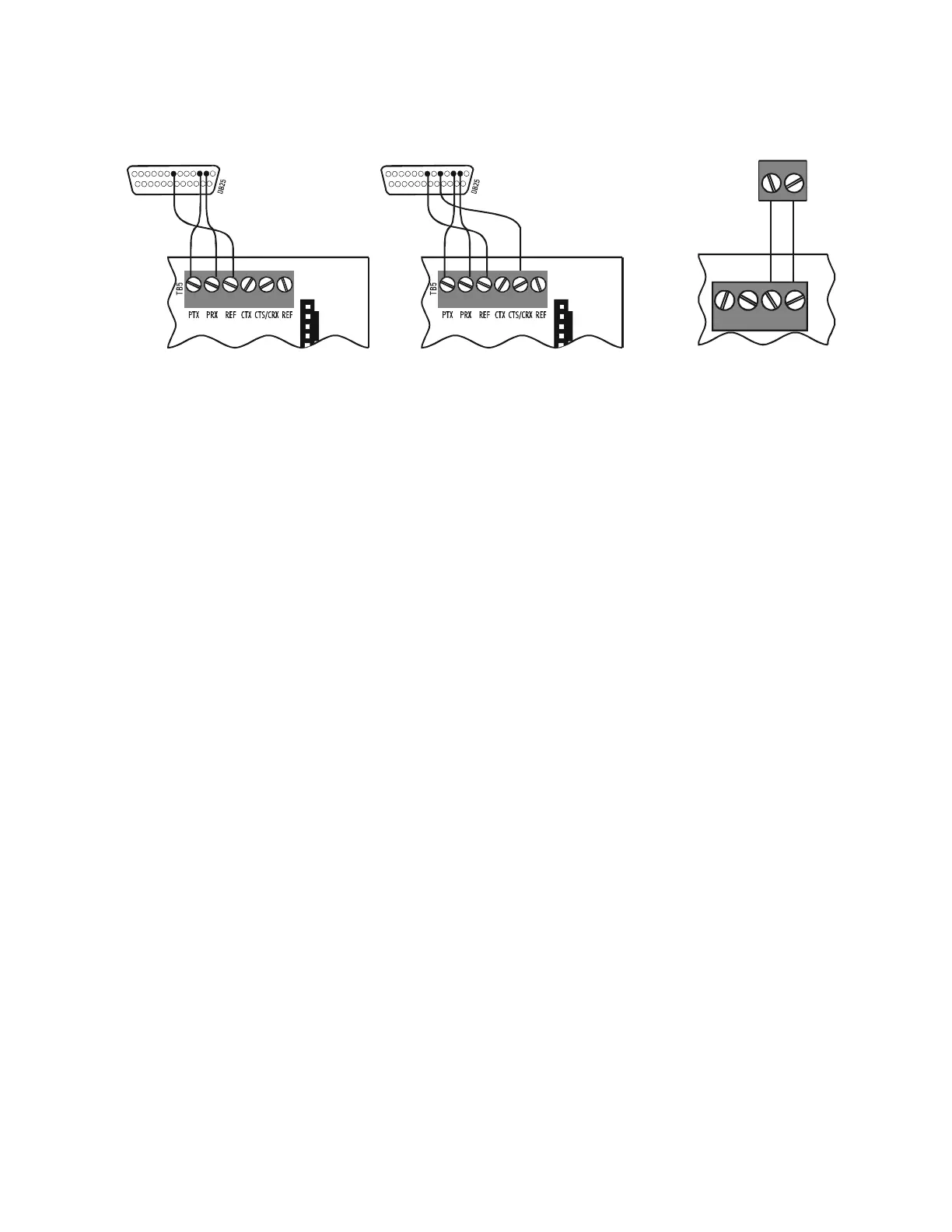
Figure 31 Printer Connections
3. If installing a Keltron Printer VS4095/5, connect 24 VDC non-resettable power from a UL-listed
power supply to the Keltron printer as shown in Figure 31 (14 AWG).
4. If installing a PRN series printer, plug it into your AC power source. Note: PRN printers require a
120 VAC, 50/60 Hz primary power source. If required for the fire alarm system configuration (for
example, a Proprietary Fire Alarm System), a remote printer requires a secondary power source
(battery backup). Because a secondary power source is not provided, use a separate Uninterruptable
Power Supply (UPS) that is UL-listed for Fire Protective Signaling.
5. Plug the DB-25 connector end of the custom cable into the EIA-232 port of your printer. Tighten
securely.
6. Configure the printer as described in Section 3.18.2 “Configuring the Printer”.
23752375
Note: Outputs are power-limited
but are not supervised.
DB-25 connector on
PRN-5
TB5 on Control Panel
3030-keltron.cdr
DB-25 connector on
Keltron Printer VS4095/5*
TB5 on Control Panel
+5V
1AMP
GND
GND
ACCESSORIES TB6
+24V
1AMP
Keltron Printer VS4095/5
power connections*
TB6 of AMPS-24/E
3030-keltronpower.cdr
DC IN + DC IN -
3030-printer.cdr
*Note: VS4095/5 is not ULC-listed.












 To Next Page