32To Start & Stop the Device
If a wall power supply is plugged into the device the device will run using the wall power supply and the "Battery"
indicator will not illuminate.
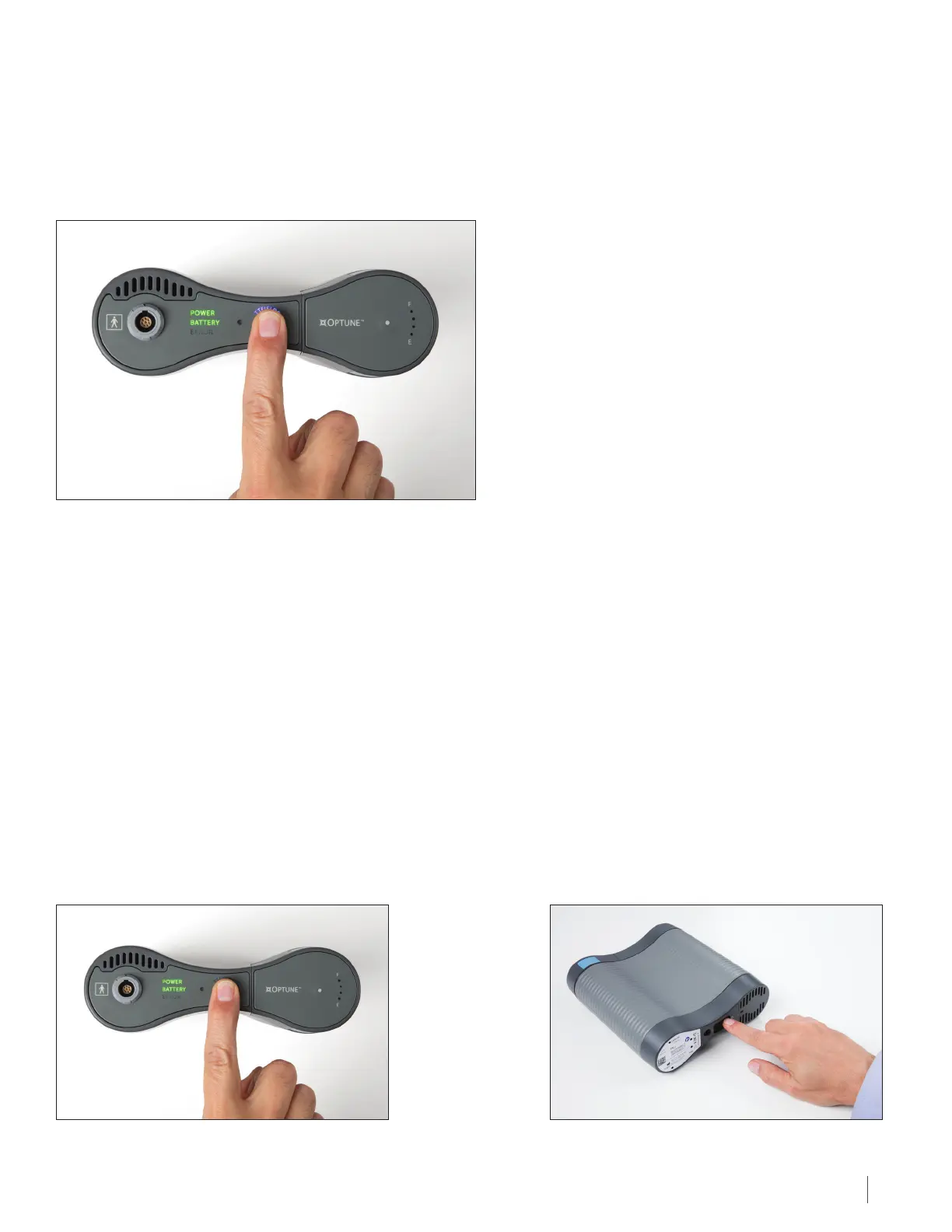
6. Press the TTFields therapy button once – this will start treatment.
The ”TTFIELDS” above the TTFields therapy button will illuminate blue and stay on while the treatment is on. If the blue
words are not illuminated, then the treatment is not running and you should check the setup and restart the procedure.
If, after this, the indicator lights do not light up, consult the Troubleshooting Guide (Section 26). If you still have
problems, contact technical support (Section 27).
Note: The green, blue and yellow indicators will dim in a dark room and will brighten in a light environment. The red
error indicator light will not be dimmed in any case.
If the therapy button is not pressed within 10 minutes after the device is turned ON, an alarm will sound, indicating that
the device is ON but the therapy is OFF. This is a reminder to start the therapy. The therapy button should be pressed
once to silence the alarm and again to start the therapy. “TTFIELDS” will be illuminated blue when the patient is
receiving treatment.
You may stop treatment if the following happens:
A. If the Device is Running Properly, But You Need to Stop Treatment to Take a Break:
22 To Start & Stop the Device
Press the TTFields button. The blue “TTFIELDS” lights
around the button will turn o. This turns the TTFields
therapy o, but the device power is still on.
Then, turn o the device by turning the power
button on the bottom or the back of the device
to the OFF position.


 To Next Page