33To Start & Stop the Device
B. If an Error Occurs:
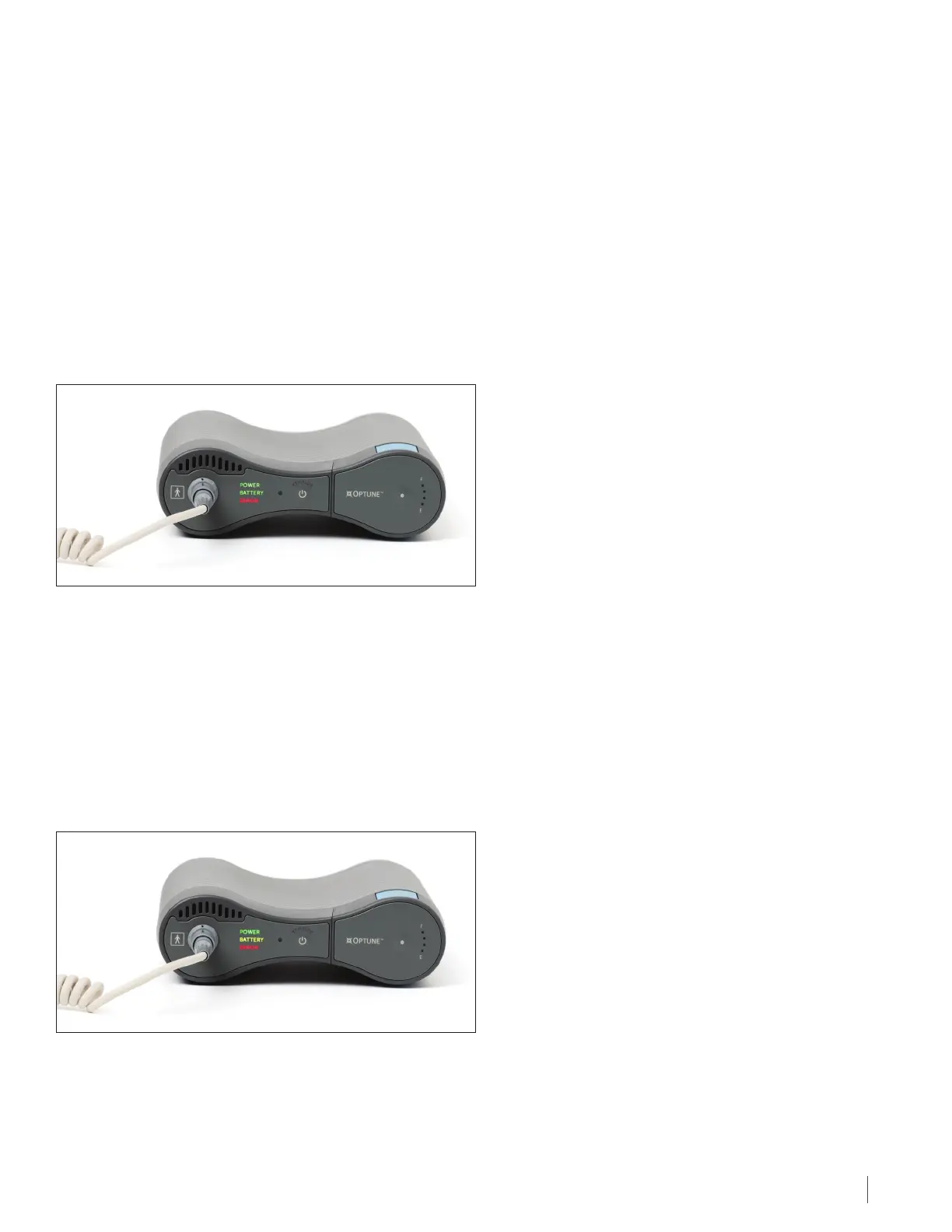
If an error occurs, the device will turn o the TTFields and make a loud beeping noise. The red Error light will light up
(as shown below). In this case, once the red Error light illuminates, the treatment has stopped.
To turn o the device:
1. Press the TTFields button on the front of the device to stop the alarm. The red Error light will turn o. (If this does
not silence the alarm, proceed to the next step of turning o the power switch to silence the alarm. A small number
of alarm conditions cannot be silenced by the pushing the TTFields button).
2. Turn o the device by turning the power button to the OFF position.
3. See the Troubleshooting Guide (Section 26) for instructions on fixing problems. Restart the device and restart
treatment if no problem is found. If the alarm continues, contact technical support (Section 27).
C. If the Low Battery Indicator Light Lights Up:
When your battery runs out (after about 2-3 hours), an alarm will beep, the TTFields therapy will stop and both the
yellow low Battery light and red Error light will light up. This alarm sound is the same alarm sound the device makes
for an error. However, in this case both the yellow and red lights will light up instead of just the red light.
To turn o the device:
1. Press the TTFields button on the front of the device to stop the alarm. The red Error and the yellow low Battery lights
will turn o.
2. Replace the battery using the steps in Section 17.
22 To Start & Stop the Device


 To Next Page