- 50 -
TOOLS
CHANGING THE TOOL
TOOL REMOVAL
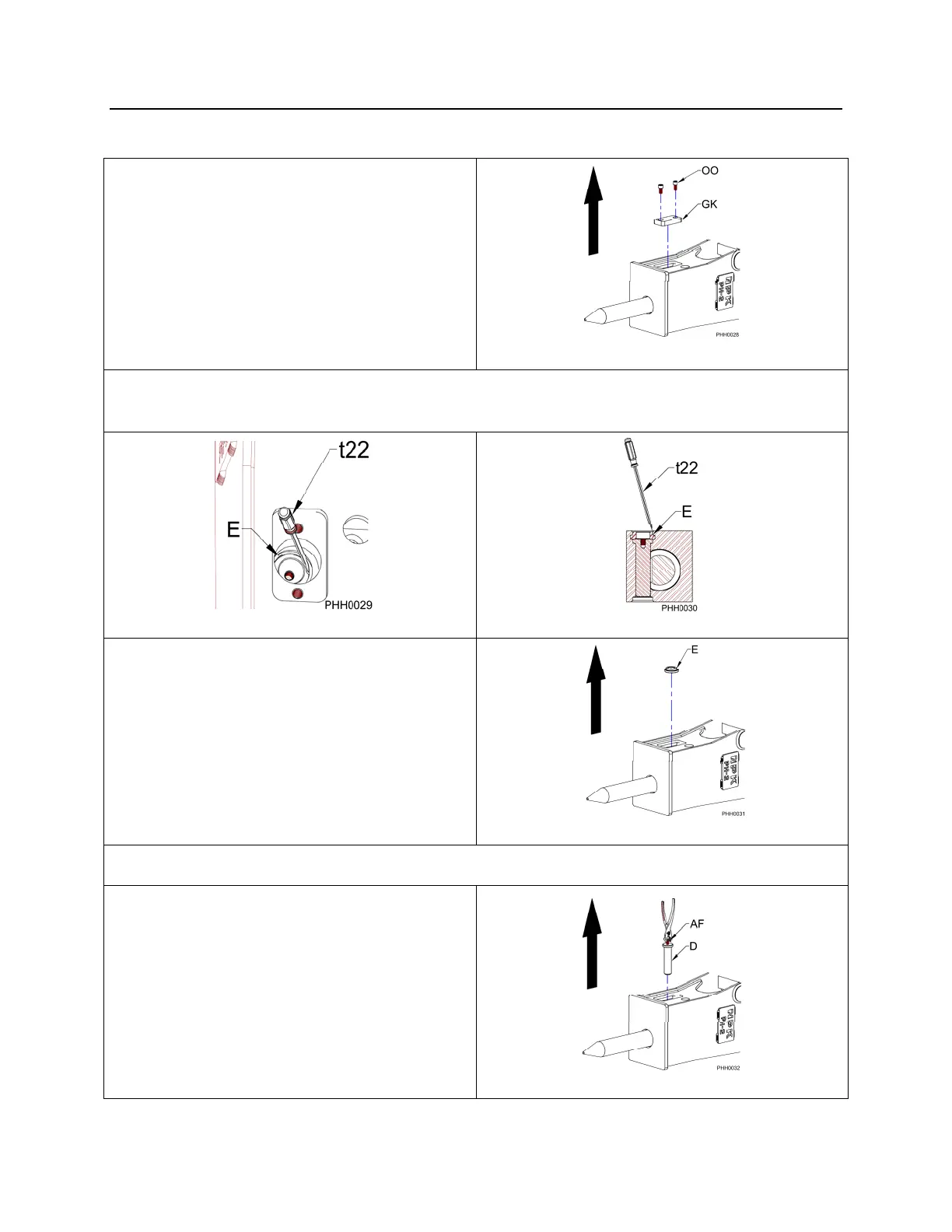
1. Remove the two socket head cap
screws (OO) that attach the retaining
pin stopper plate (GK) to the hammer
bracket. Remove the retaining pin
stopper plate.
Figure 1
2. Remove the retaining pin ring (E) by using a screwdriver (t22), see Figures 2 and 3.
It will easily come out if pried at an angle as shown in Figure 3.
Figure 2
Figure 3
3. Remove the retaining pin ring (E).
Figure 4
4. Screw a 6mm hex head bolt (AF) or cap screw into the retaining pin (D).
5. Pull the retaining pin out. If the
retaining pin is jammed, use a hammer
and drift pin to drive it out from the
opposite side.
Figure 5



 To Next Page