59
Part 1 - General Safety Information
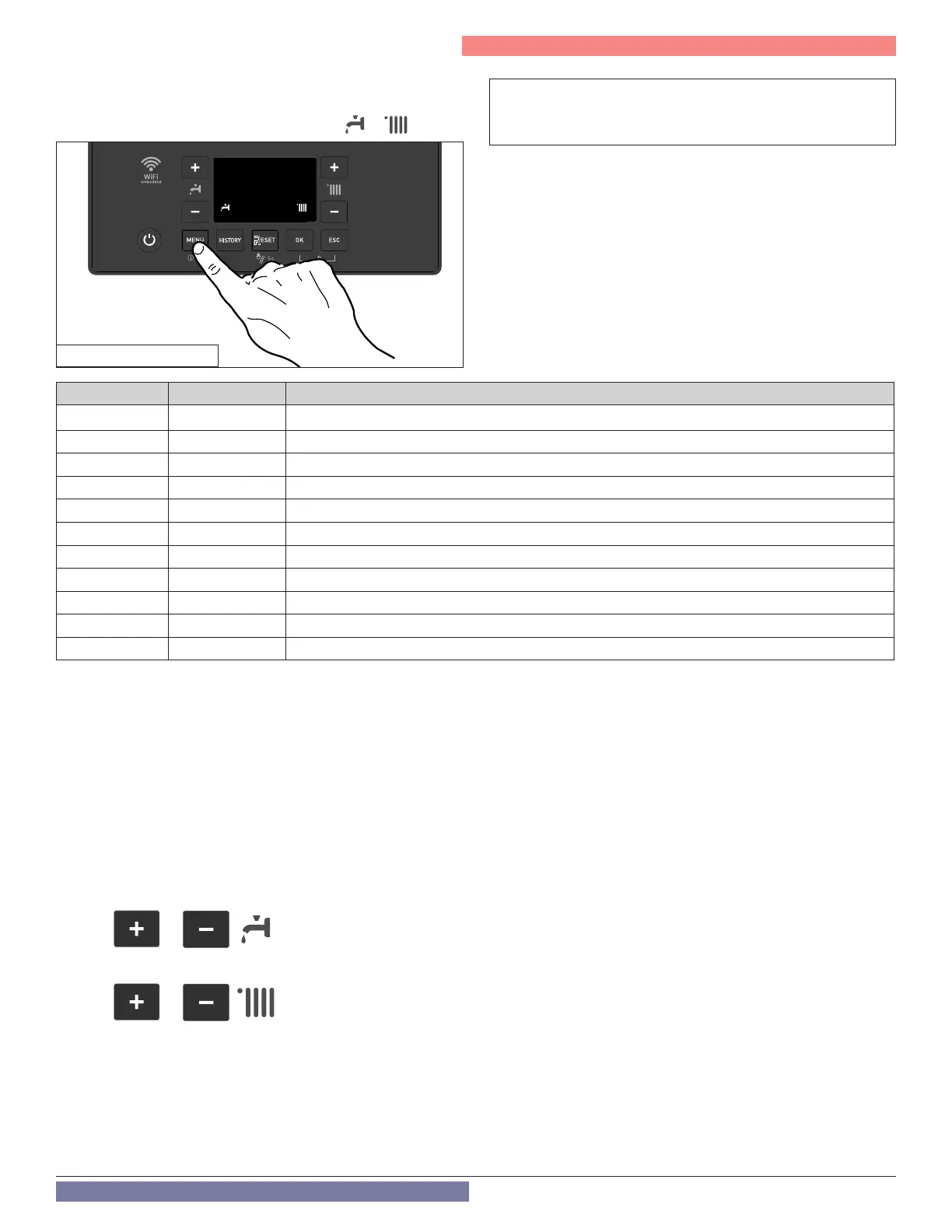
Press the MENU button for 5 seconds to access the INFO menu, navigate
within the INFO menu with + and - (both possible,
or
).
Attention: No values can be changed here, only information can
be read! Changes can only be made in the user menu or in the
specialist area.
F. INFO Menu
Table 28 -
Info menu
Figure 62 - Access Info menu
The control unit is equipped with a 365-day clock that displays
the day, month, year and time.
In order to ensure correct operation of the boiler when using
time programs, the date and time must be set correctly. If the
boiler is connected to the Wi application, the Internet time is
automatically taken into account. Manual entry:
Day (1-31)
Months (1-12)
Year (2019)
Time (00:00)
/
/
(item 2 - Figure 57)
for the hour setting
(item 8 - Figure 57)
for setting minutes
Buttons
Buttons
Info Menu Parameter Description
01. 8.5.7 Floor drying remaining days (with Floor Drying function active)
06. 8.3.1 Supply water temperature [°F]
07. 8.3.2 Return water temperature [°F]
08. 8.3.3 / 8.4.0 DHW outlet or storage temperature [°F]
09. 8.3.5 Outdoor temperature [°F]
10.
8.3.4 Exhaust ue temperature [°F]
11. 8.7.8 Burner power level [%]
12. 4.3.0/5.3.0 Room temperature [°F] (only with NTI Room Sensor connected) (Zone 1/2)
13. 8.2.5 DHW ow rate [gpm] (TRX199C only)
18. 8.2.2 Actual fan speed [RPM/10]
20. 8.7.9 Burner ame signal
Part 9 - Controls
G . Date and Time (If ITIME is set to OFF)



 To Next Page