66
Part 9 - Controls
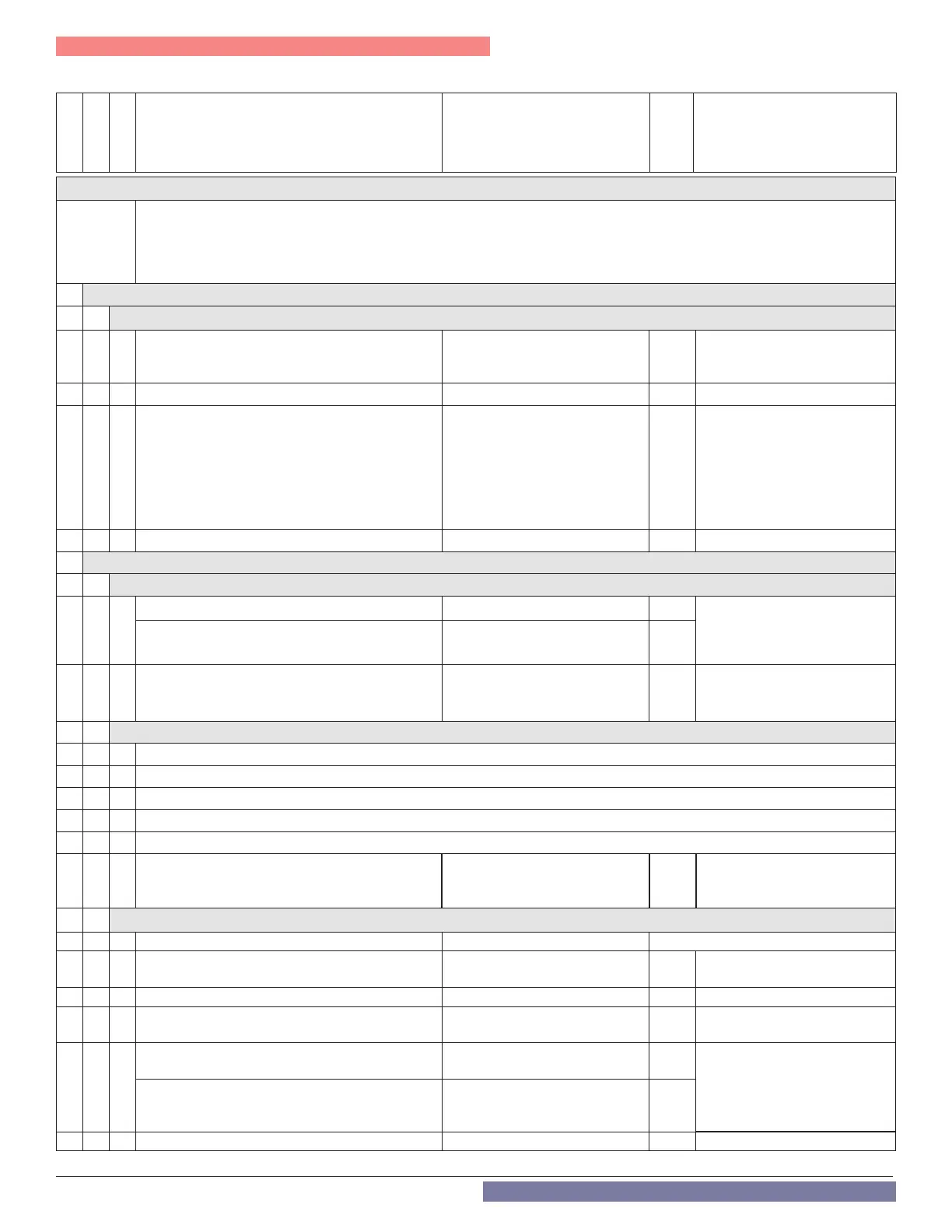
R. Technical Menu - Complete Menu
Menu
Sub-Menu
Parameter
Description Value
Default
Setting
ACCESS the Complete Menu
1. Simultaneously press the the OK and ESC buttons for 5 seconds. The display shows 222.
2. Press the “+” button to select 234 , the service code.
3. Press the OK button. Then press the “+” button until the display shows
MENU.
4. Press the OK button to enter the complete menu. See the instructions on page 68 and complete menu list below.
0 NETWORK
0 4 USER INTERFACE
0 4 0 Heating zone to be set from the home screen
1 = 1 Zone, 2 = 2 Zones,
3 = 3 Zones
1
0 4 1
Backlight timing 1 - 10 minutes or 24 hours 10
0 4 6 Cascade Boiler Conguration
UNDEF = undened, b-SIN = sin-
gle boiler, b-MAS = master boiler,
b-FL1 = follower #1 boiler, b-FL2
= Follower #2, b-FL3 = Follower
#3, b-FL4 = Follower #4, b-FL5 =
Follower #5, b-FL6 = Follower #6,
b-FL7 = Follower #7
b--SIN
Reserved for Cascade applica-
tions. See Cascade Instruction
Manual for details.
0 4 7
Units 0 = Metric (
o
C), 1 = US (
o
F) 1
2
BOILER PARAMETERS
2 0 GENERAL
2 0 0
DHW Setpoint Temperature TRX COMBI 97 - 140°F 125
Also settable via the home
screen - see item 2 Figure 57
(not applicable when 2.2.8 = 2)
DHW Setpoint Temperature TRX non-COMBI 104 - 149°F 125
2 0 1 DHW Preheating 0 = Disabled, 1 = Enabled 1
Enables/disables comfort on/o
setting via parameter 2.5.0.
2 1 FREE PARAMETERS (DO NOT USE)
2 1 1 DO NOT USE
2 1 2 DO NOT USE
2 1 3 DO NOT USE
2 1 5 DO NOT USE
2 1 6 DO NOT USE
2 1 9 DHW Flow Detection Device Type 0 = Flow Switch, 1 = Flow Meter 1
TRX199C uses a ow meter.
Not applicable for non-Combi
models.
2 2 BOILER GENERAL SETTINGS
2 2 0 Ignition Power 0 - 100 Must be set in accordance with Table 33.
2 2 3 TT2 Input Conguration
0 = Auxiliary Limit Switch, 1 =
Room thermostat zone 2
1
2 2 4 Automatic Temperature Control 0 = Disabled, 1 = Enabled 1
2 2 5 Heating ignition delay (for new demand)
0 = Disabled, 1 = 10 seconds, 2 =
90 seconds, 3 = 210 seconds
0
2 2 8
Combi Version - TRX C
CANNOT BE MODIFIED
0 = Combi 0
Boiler Version - TRX
Type of DHW control for Indirect Hot Water Heater
(Tank Sensor or Aquastat)
0 = NOT USED
1 = Storage with Tank Sensor
2 = Storage with Aquastat
2
2 2 9 Boiler Heating Capacity (MBH) 0 - 200 Only if the PCB is changed



 To Next Page