79
Part 11 - Start-Up
Operation 4 - Checking the CO2 at Minimum Gas Flow (Low Fan
Speed)
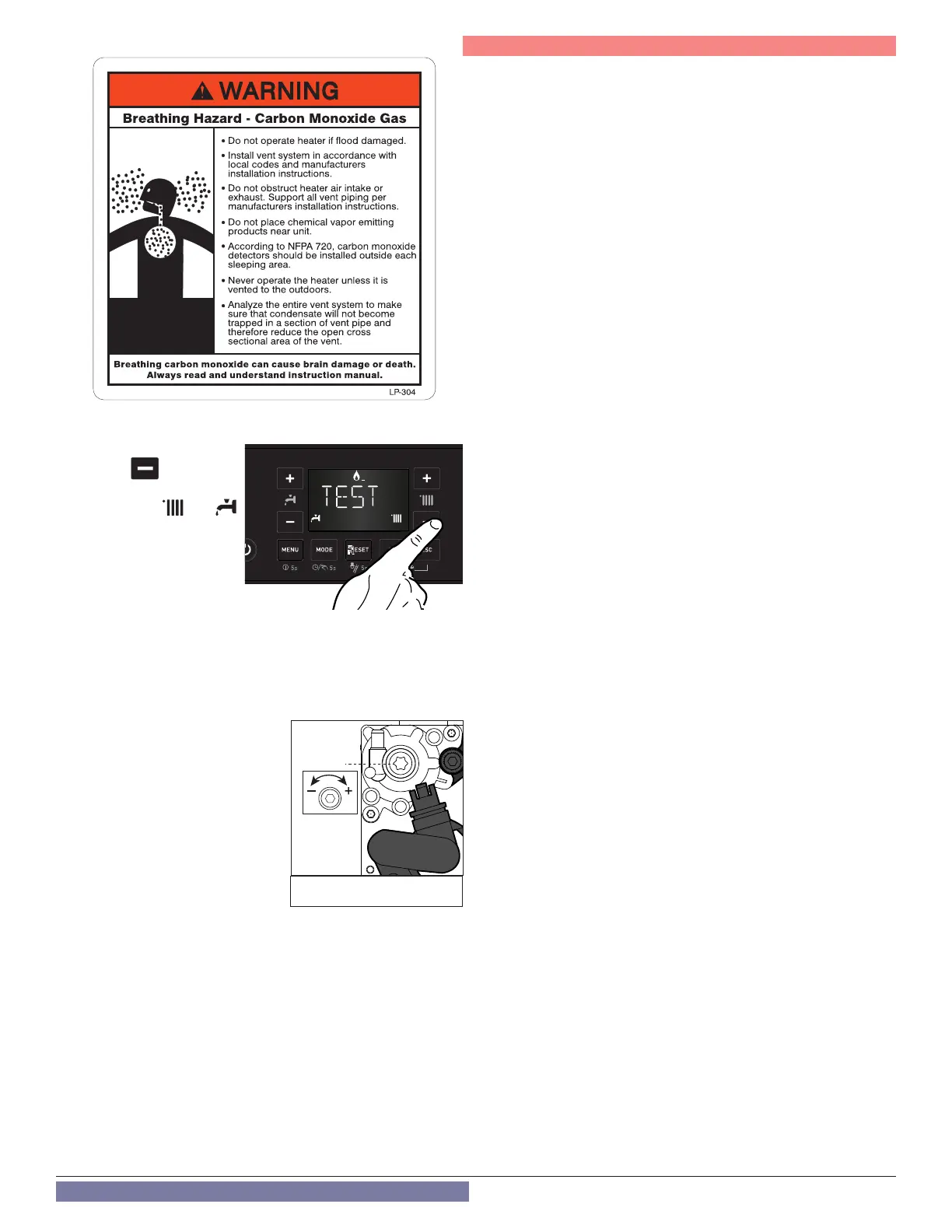
With the Test Function active,
press the button to
operate the boiler at minimum
DHW power. The and
icons will display.
Wait 1 minute for the boiler to
stabilize before carrying out
the combustion analyses.
If the CO2 (%) reading at min
gas ow is greater than the
CO2 (%) reading at max ow, or
if it is less than the reading at max ow by more than 0.3%, adjust the
gas valve following the instructions below. Otherwise move directly to
Operation 5.
Adjusting the Gas Valve at Minimum
Gas Flow
Remove
cap and adjust screw 2 by
turning counter-clockwise to reduce
the CO
2
level; clockwise to increase
the CO
2
level. Wait 1 minute after
each adjustment for the CO
2
value to
stabilize.
WARNING! Minimum Gas Flow
Adjustment is very sensitive.
If the value measured corresponds to
the value given in Table 33 adjustment
is complete. Otherwise continue the
setting procedure.
Attention!! If the value of the CO
2
at minimum power has been
changed, it is necessary repeat the adjusting at maximum gas
ow.
Operation 5 - Ending Adjustment
1. Exit Test Mode by pressing RESET.
2. Turn down the thermostat and / or stop the DHW draw-o. For Only
Heating Boiler applications reset all thermostatic valves.
3. Check for and repair any leaks of gas.
4. Reinstall the front cover.
5. Reinstall the combustion test port - see Figure 73.
2
Figure 75 - Min CO
2
Adjustment



 To Next Page