- 27 -
B) Product Information
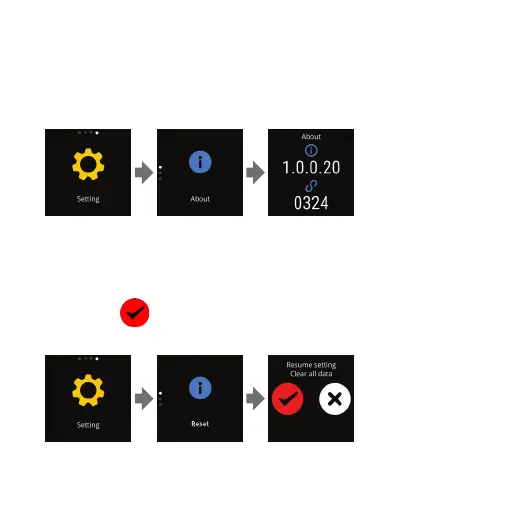
Swipe from Home to "Setting", tap the screen "Above". The icon to
display 4 digits code and firmware information.
C) Restore Set
Swipe from Home to "Setting", tap the screen and swipe down to
"Reset", tap
to confirm Reset. Schedule , Message, Alarm that
have been set on will be cleared.


 To Next Page