- 28 -
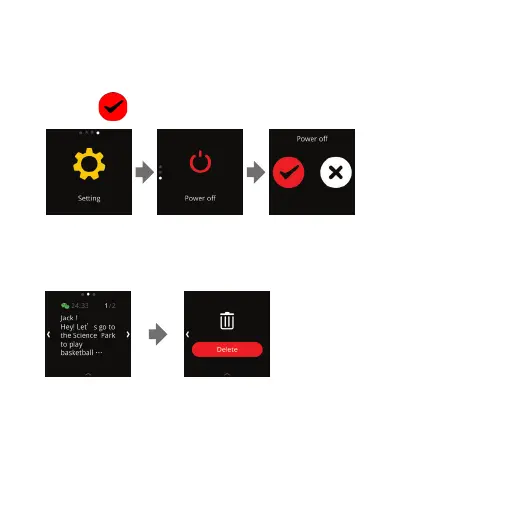
D) Switching your Nuband Optim O
Swipe Left to "Setting", tap the screen and swipe down to "Power
o", tap
to confirm.
E) Message Alert
Tap the screen to view details of the message.
Swipe the screen to view the next message. Swipe the screen until
"Delete” Icon appear to delete message. The Nuband screen only
displays the last 5 messages recieved on your phone.
Setting Power o Information


 To Next Page