- 52 -
Sedentary Settings
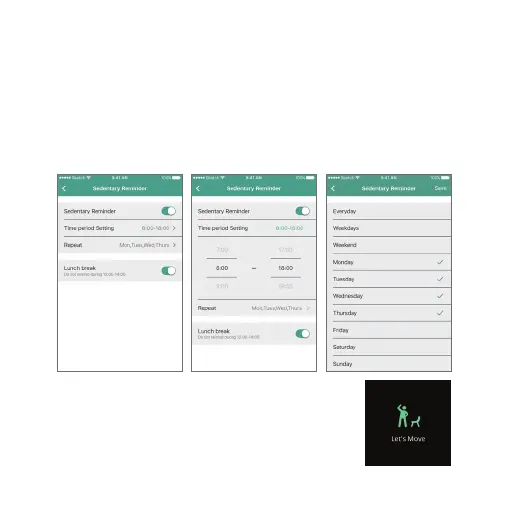
If you would like your Nuband to remind you to get active during the
day, set the alarm to on.
1. Tap into the Device screen
2. Tap Sedentary Reminder
3. Select which time period you would like to be reminded to move.
Nuband Optim will remind you accorlingly
to your Settings.


 To Next Page