- 9 -
SETTING UP YOUR NUBAND OPTIM
Follow the steps below to set up your Nuband Optim.
1. Charge your Nuband Optim for 2-3
hours prior to use.
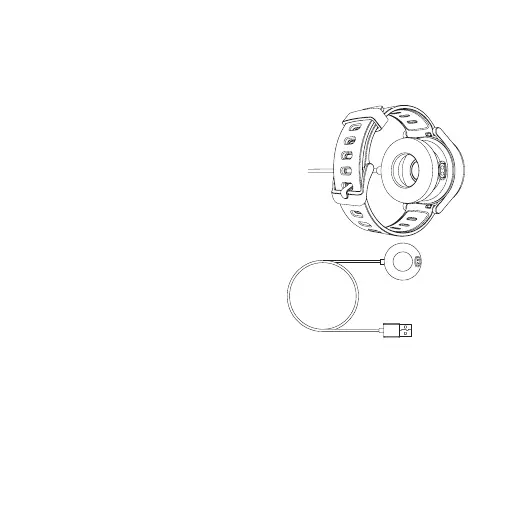
a. Properly attach the magnetic charging
dock to the back of the watch, then plug
the charging cable into a USB port on
the computer, charging dock or power
bank for charging.
Input voltage: 5V DC.
Input current: <0.2A.
Battery symbol appear if it is
pluged correctly.
Note:
1. It is recommended to use the universal 5V/1A charger with
3C logo on the market.
2. Do not use fast charging charger.
b. The screen will show full battery symbol when it is fully charged.
USB Charging Cable


 To Next Page