- 55 -
Firmware Upgrade
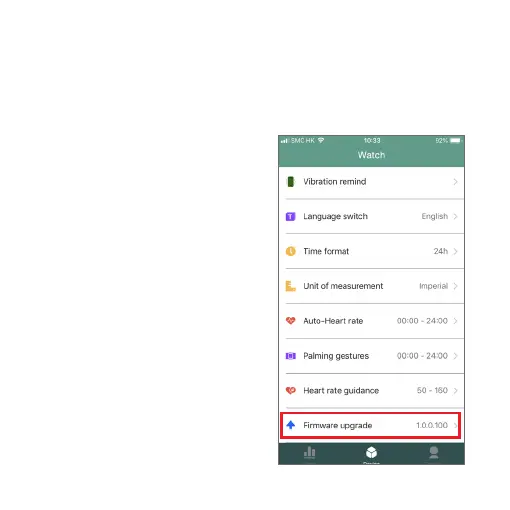
Tap Firmware Upgrade. If there is a firmware update available for
your Nuband Optim, you will be able to tap OK to install the update.
Notes:
1) Make sure that the battery
level is more than 50% before
upgrading.
2) During the upgrade process,
you can not quit halfway if the
progress bar moves, keep the
screen of your phone bright,
and only when the upgrade
is completed can you exit
the interface, otherwise, the
upgrade will fail.


 To Next Page