Revision 2.2
Operation
5-3
When analog modulation is selected,
the available input selections will be:
Composite - The composite signal is
routed through the internal low pass
filter (bandwidth ± 4.0 MHz NTSC,
± 5.6 MHz PAL typical.) then sent to
the FM modulator.
SDI - Internal circuits convert SDI
inputs to Composite. The signal is
then processed as Composite.
External 70 MHz FM - This input
bypasses the modulator, and routes
to the heterodyne up-converter.
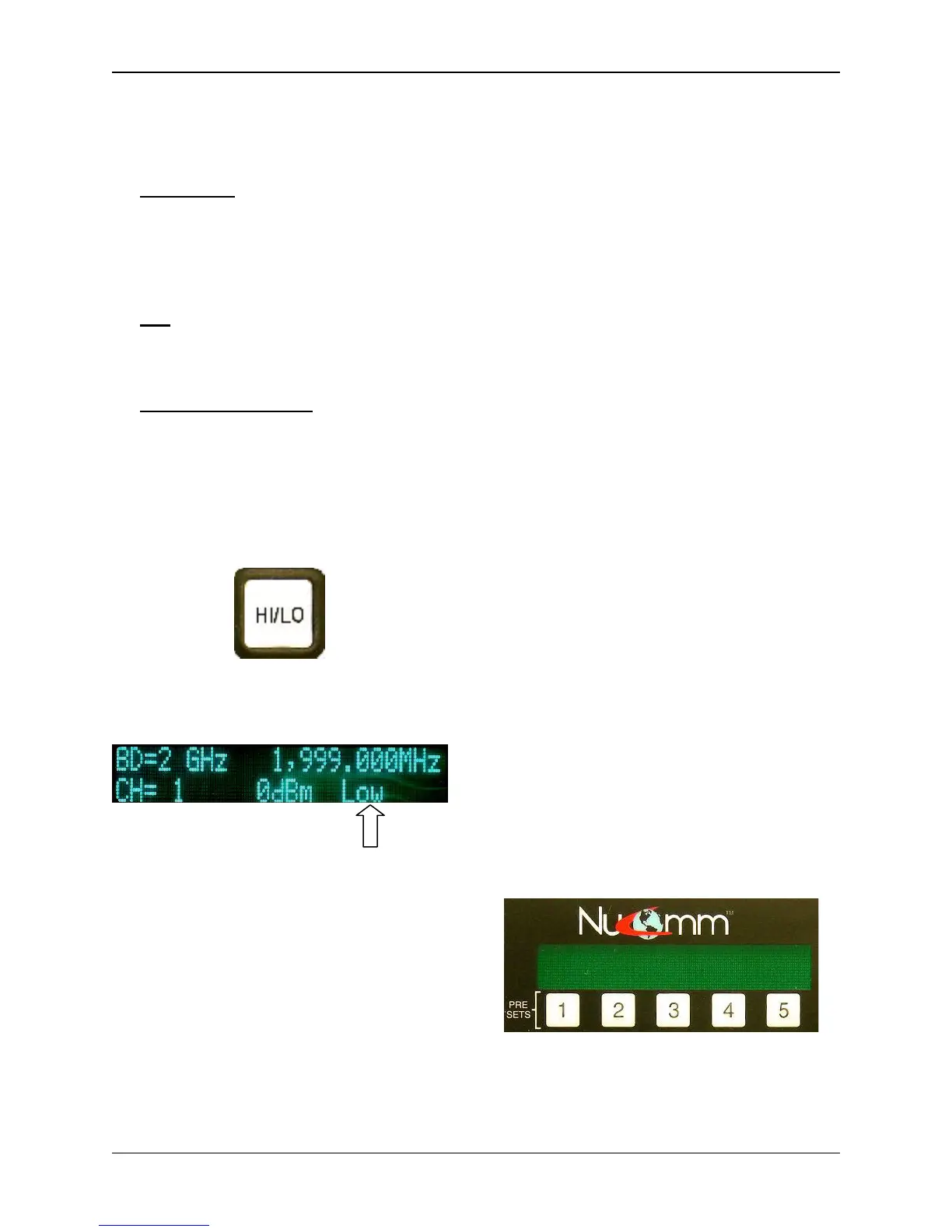
Set Power Level (4)
The user can toggle between HI or LOW
power by merely pressing the “HI/LO”
Button.
The LCD will then immediately display
the change at the bottom right corner.
Unit in Low Power Mode
5.2.1 Changing Operating
Frequency
1. Ensure that the Main Menu
screen is displayed on the LCD.
2. Rotate the “Quick-Knob” to
highlight the preset parameter to
be changed.
3. Press the “Quick-Knob” to enter
the selection.
4. Rotate the “Quick-Knob” to adjust
the value of the selection.
5. Press the “Quick-Knob” to enter
the changed value.
6. Rotate the "Quick Knob" until the
digit that needs to be changed is
highlighted.
7. Press "Enter".
8. Change the digit as needed.
9. Press "Enter".
10. Repeat until all digits are correct.
11. When all digits are correct, move
the cursor to the end of the
frequency where it says “GHz”.
12. Press "Enter".
When the operating frequency is
changed, the unit goes into standby
while the synthesizer re-tunes to the
new frequency. Transmission resumes
when the new frequency is reached.
5.3 Presets
There are 15 Channel Presets. These
Presets are either changed or recalled
through the numbered “Preset” Buttons,
or through the “PRE” Button.
The numbered Preset Buttons are pa1
through pa5, located just below the
LCD. These five numbered preset keys
are provided to rapidly store and recall
five custom configurations without
button operation.
Accessing the remaining presets
requires using the “PRE” Button.


 To Next Page