Revision 2.2
Operation
5-5
All presets represented by lowercase
letters have not been programmed.
Example:
• PA1 - has been programmed.
• pa1 - has not been programed.
Changing & Setting Preset Name
Each preset can be given a name up to
16 characters long. The name can
consist of alpha-numeric characters only
(characters A – Z & 1 – 9). The preset,
however, must have the channel,
frequency, and band saved first before it
can be assigned a name.
To assign a name to a preset, perform
the following:
1. From any menu screen, press the
“PRE” Button the appropriate
amount of times to bring up the
set containing the desired preset.
2. Rotate the “Quick-Knob” to
highlight the preset to be assigned
a named.
3. Press the “Quick-Knob” to enter
the selection.
4. Rotate the “Quick-Knob” until the
name area is hightlighted.
5. Press the “Quick-Knob” to enter
the selection. (Refer to Section
5.1.1 for Changing Characters.)
Highlighted Name Area
6. When completed, move the cursor
over the arrow at the bottom-right.
7. Press the “Quick-Knob” to select
the arrow. The name has now
been saved.
Recalling A Preset
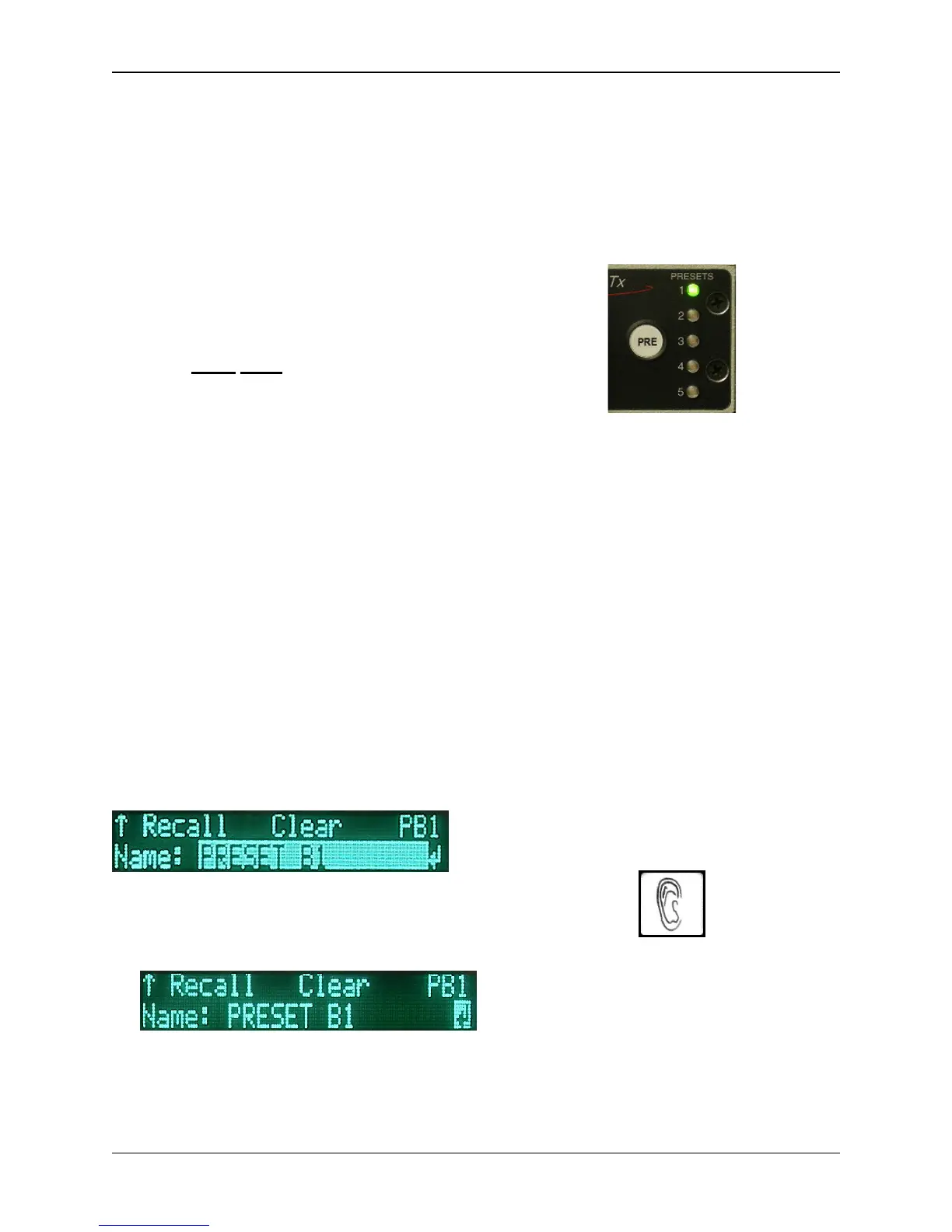
Briefly press the preset to recall settings.
When any of the first five Presets have
been recalled, the associated Preset
LED will illuminate.
Preset 1 recalled
NOTE: If the unit is enabled for Preset
Lock RF CHN, the frequency cannot be
changed by a preset and will remain the
current operating channel.
TX MODE (7)
The TX MODE key is used to select
from the following operating modes:
• NORMAL: Transmitter is active,
with or without a video (or
composite) input signal.
• STANDBY:Transmitter is in
STANDBY until switched to
another mode. Frequency
synthesizer is locked on
frequency.
• VID STB (Video Standby): Not
functional at this time.
AUDIO Quick Key (8)
The AUDIO quick key provides a
shortcut to the audio settings.
When modulating digitally, the system
will display the Encoder's audio settings


 To Next Page