Revision 2.2
Operation
5-13
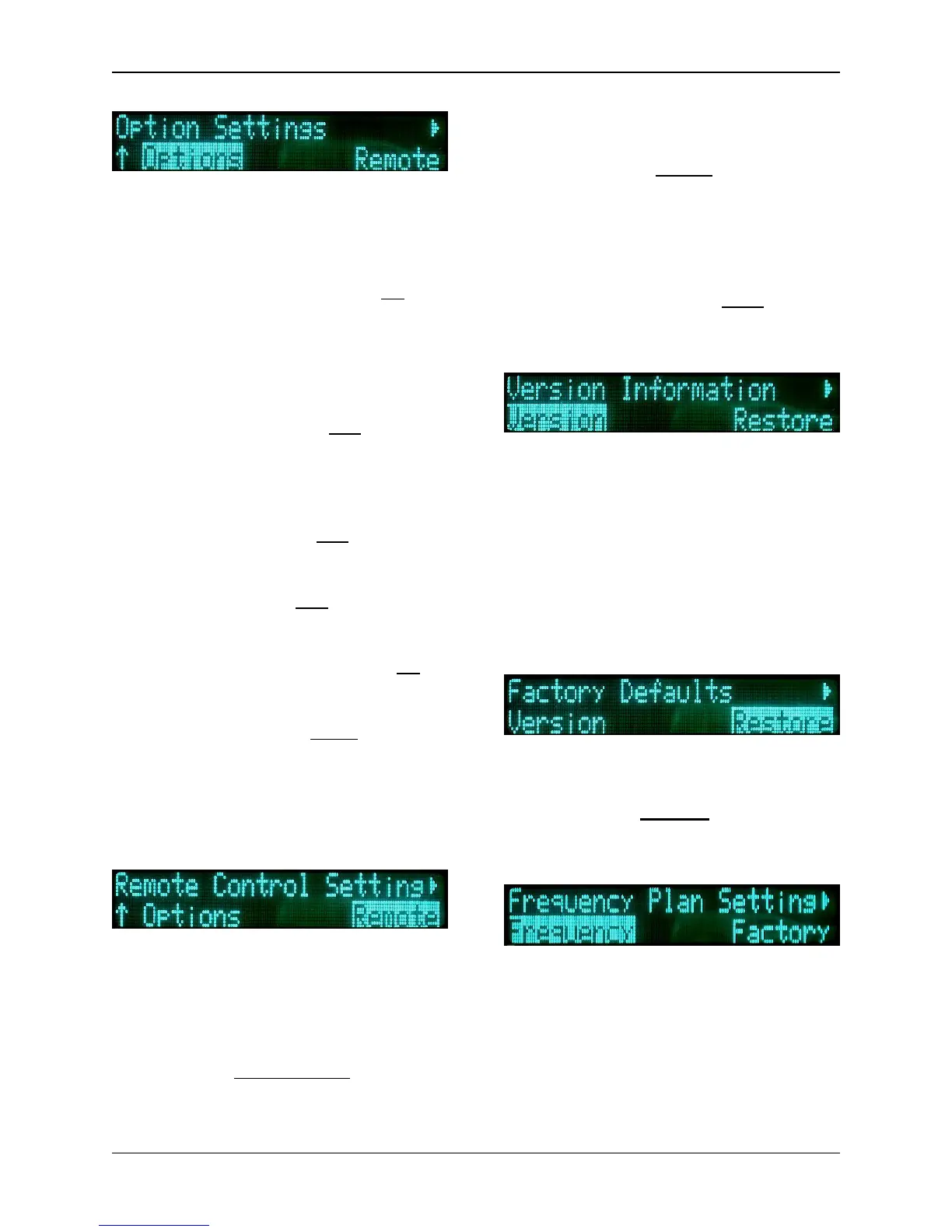
With the Option sub-menu, the user can
set the various miscellaneous
parameters utilized by the system. The
parameters for this sub-menu are:
• Frequency Direct: (Yes, No) -
If “Yes”, the user can change the
frequency from the main menu,
via the Quick Knob. If “No”, the
frequency can only be changed
via the frequency menu.
• Start in Standby: (Yes, No) -
tells the system to either start in
the Standby mode (Yes), or begin
transmitting immediately when
powered-up (No).
• Preset Change: (Yes, No) -
either enables (Yes) or disables
(No) the use of Presets.
• Nextel Menu: (Yes, No) - The
system will display (Yes) or hide
(No) the Nextel options menu.
• Preset Lock RF CH: (Yes, No) -
If “Yes”, the channel may not be
changed by a preset.
• Video Present: (Stdby, Bars) -
should the video signal be lost,
this parameter allows the user to
choose between the TX1 going
into Standby Mode or displaying
Color Bars.
With the Remote sub-menu, the user
can set the various parameters utilized
by the system for distance remote
control communications. The
parameters for this sub-menu are:
• Mode: (Remote/Local, Local) -
allows the unit to be toggled
between Remote & Local control,
and Local (only) control.
• Interface: (RS232, RS485) -
selects between the two types of
serial interface communication.
• Address: (hexadecimal value) -
sets the remote address of the
ChannelMaster TX1.
• Baud Rate: (2400, 9600, 19200)
- sets the speed of the serial
connection.
With the Version sub-menu, the user
can access version information about
the system. The options for this sub-
menu are:
• Serial Number
• Model Number
• Front Panel Revision
• Configuration Data
• Frequency Plan Number
The Restore option allows the user to
restore all factory defaults to the TX1 at
any given time. Caution, all previously
stored changes will be erased from
memory.
The Frequency option allows an
experienced user to modify the
frequency plan utilized by the
ChannelMaster TX1. Extreme caution
should be used, since making any
errors in the programming will effect
the functioning of the unit.


 To Next Page