6002 addressable control and indicating equipment
User Manual
1
33-0019-r04_2018-08
© 2017, 2018 Ambest Electronics (Ningbo) Co Ltd. All rights reserved.
All specifications and other information were current at the date of publication and subject to change without notice.
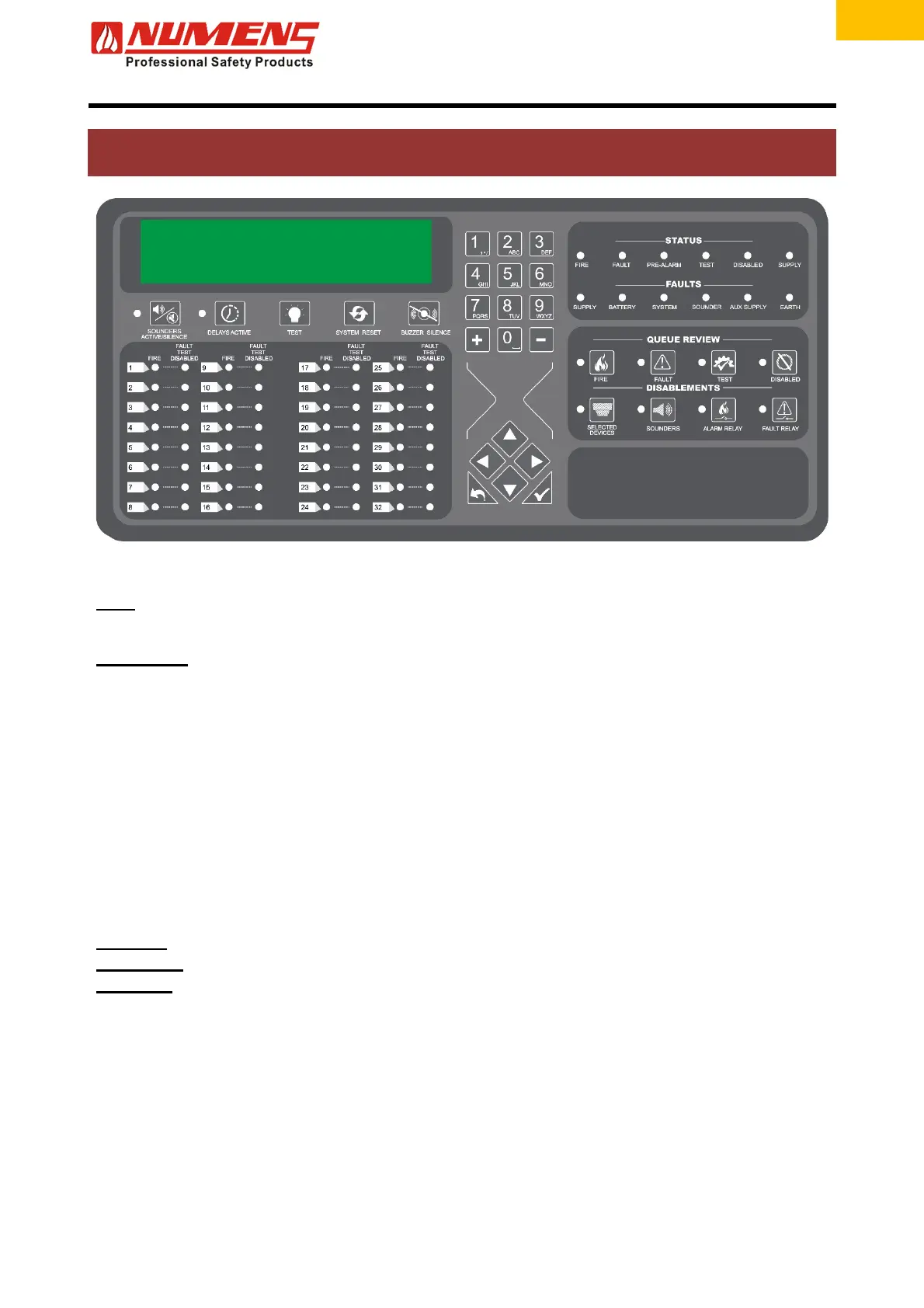
1. CONTROLS AND INDICATORS
Figure 1 – Controls and main indicators
LCD
Displays the status of the control and indicating equipment and connected
devices.
GENERAL
ALARMS
ACTIVE/SILENCE
Silences and activates audio/visual alarm devices. The LED illuminates when the
alarm devices are active.
If the SILENCE ACTIVATE ALARMS button is pressed when alarm delays are
active, the delay timer will be cancelled and the alarm devices queued for
activation will be silenced. Any subsequent fire events will no longer initiate the
alarm delay timer until the control and indicating equipment has been reset.
DELAYS ACTIVE
Disables and enables delays of configured initiating devices and input/output
devices. When the indicator is on, the delay is active. Pressing the DELAYS
ACTIVE button over-rides the delays and causes immediate actions.
LAMP TEST Illuminates all LEDs, LCD segments and activates the internal sounder.
SYSTEM RESET Resets the fire detection and alarm system.
BUZZER SILENCE
Acknowledges a new Alarm or Fault event and silences the internal sounder.
ALPHA-
NUMERIC
KEYPAD
Numeric input controls, used in conjunction with other functions and LCD.
0 ~ 9 Access Level passcode. Used to input device descriptions.
+
Increments the loop number.
-
Decrements the loop number.
Alphabetic
characters
Used to input device descriptions.


 To Next Page