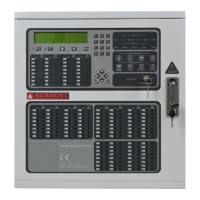
6002 addressable control and indicating equipment
User Manual
4
31-0019-r04_2018-08
© 2017, 2018 Ambest Electronics (Ningbo) Co Ltd. All rights reserved.
All specifications and other information were current at the date of publication and subject to change without notice.
2. ACCESS LEVELS
Four access levels are used to operate or configure the control and indicating equipment.
2.1. Access Level 1
Access Level 1 is enabled when the CONTROLS ENABLE key switch is on. Access Level 1 provides open
access to perform the following functions:
Acknowledge a new event and silence the internal sounder.
Override any configured active delays in the Alarm Condition.
Alarm, Fault, Test and Disable queue review.
Place the panel into Access Level 2 or Access Level 3.
Perform the indicator test.
2.2. Access Level 2 (User Access)
Access Level 2 provides access to the functions enabled during configuration at Access Level 3 using Menu
Item 7-3-3. The default setting is to deny access to functions.
Typical functions configured for Access Level 2 may include:
Acknowledge a new event (and silence the internal sounder).
Activate and de-activate pre-configured alarm delays.
Perform the indicator test.
Silence and re-active alarms (including for a building evacuation).
Reset the fire detection and alarm system.
Disable or enable the following:
o Zones
o Alarms
o Alarm outputs
o Fault outputs
2.2.1. Enter Access Level 2
To enter Access Level 2, undertake the following actions.
1) Press the
button. The LCD will prompt to enter the Access Level 2 passcode.
2) Enter 1 2 3 4 5.
3) Press the
button to confirm the passcode.
The LCD will display User Access Level and prompts to navigate through the Menu Items.
Access Level 2 allows unlimited input attempts, however the entry sequence must start within 10 s and there
must be no more than 5 s between key presses. If these times are exceed, the control and indicating equipment
will revert to Access Level 1.
2.2.2. Change Access Level 2 Passcode
The Access Level 2 passcode can be changed from the default settings. The Access Level 2 passcode is
configured using the alpha-numeric keypad. To change the Access Level 2 passcode, undertake the following
actions.
1) Enter Access Level 3.
2) Select Menu Item 7-3-2.
3) Use the alpha-numeric keypad to enter a new 5-digit Access Level 2 code.
4) Press
to confirm and return to the menu.


 To Next Page