13
6. OPERATING PRINCIPLES
6.1. PREPARATION OF USER SETTINGS
The device has a password protected menu. The password is set to “000” when the device first
starts. Follow the below steps to change the password, update current date / time information
and access the operator's menu where other settings are made.
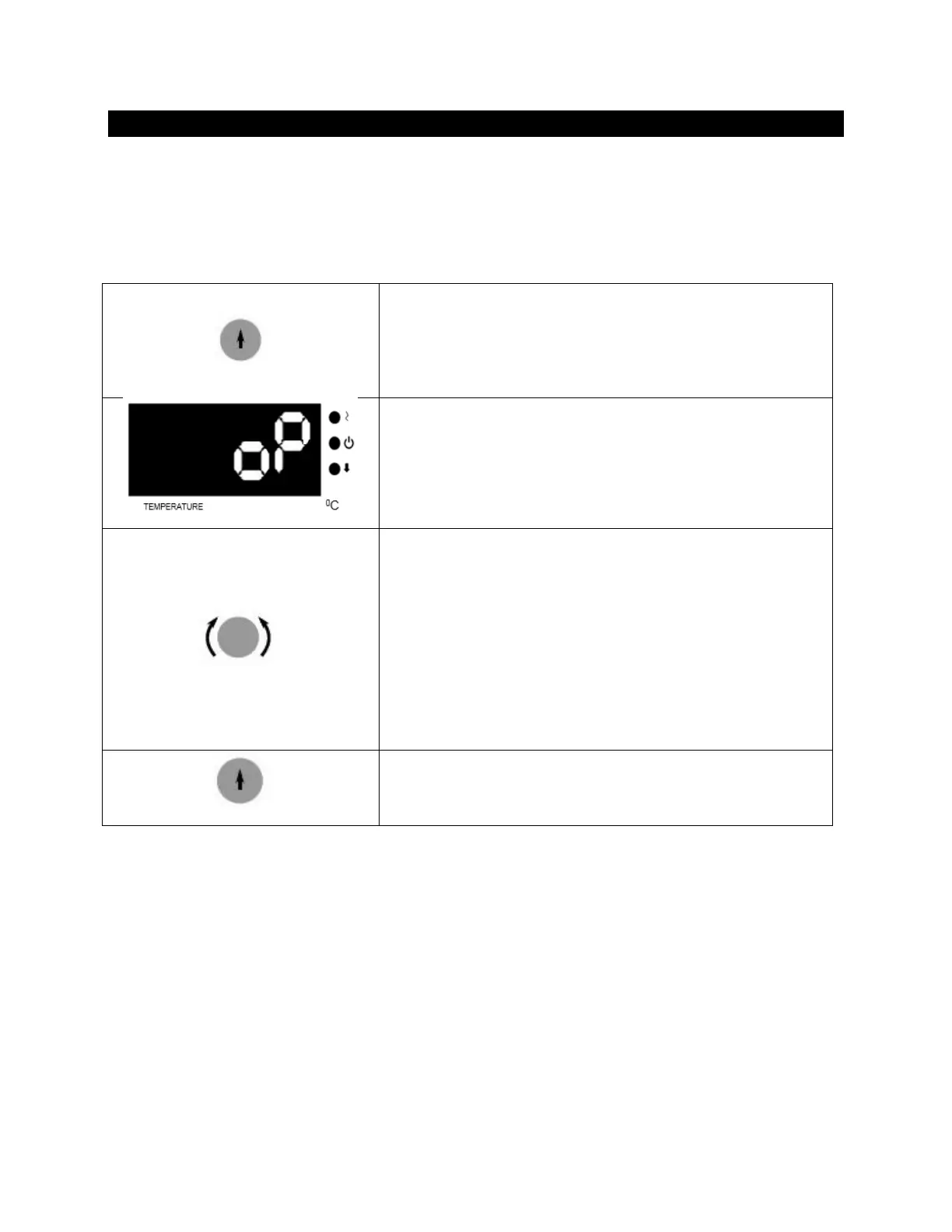
Wait by pressing the encoder button.
Lift your hand when you see "oP" on the temperature
display and again press the encoder button. If the device
has a menu protection password, password screen “oPS”
will come on the temperature display.
You enter the set password to turn the encoder button
right and left. (The password will not be asked if the
device is newly installed.) Confirm the password by
pressing the encoder button. Observe that the
parameter numbers on the temperature display change
with each pressing the encoder button. For operator
menu parameter descriptions (see section 6.1.1). You can
set the parameter values by turning the encoder button
right or left on time display.
Again press the encoder button and confirm the set
value. Press the back button to return the work screen.
6.1.1. oP Operator Menu Parameters
1: Recording Period: This time is recording period of temperature and error information.
2: Lid Alarm Time: Not used for all EN models.
3: Lid Alarm Range: Not used for all EN models.
4: Timer Set Band: When the read temperature reaches the "Set Temperature - TIMER SET
BAND" value, the time starts counting backwards.
5: Buzzer ON/OFF: The alarm sound on/off 0: OFF 1: ON



 To Next Page