17
6.3. COMPLETION OF THE OPERATION
• See that the program is over. (See “End” and “End of the program lamp”).
• Take samples out at right temperature and right time.
• Device can wait on the stand-by position or switch it off.
• Operating records are transferred to the usb port attached a USB memory.
The usb led and the data transfer led on the control panel turn on during transfer of
data in memory and the transfer process starts automatically. Do not remove external
memory from usb port without the data transfer led turn off and the audible alarm
finished.
Records are transferred to external memory when external memory is connected to the
Usb port. For get the records without program ending, Usb memory, hold down the
"Mute" button for 3 seconds until "Data Transfer Lamp" lights up, then remove from
Usb port.
If the instrument is at START position in case of the open door, it will keep operating and
the heaters will be over-heated. Therefore, the heaters and other components may be
defected. Please be careful.
Take necessary precaution while handling the samples after the operation as they can be
hot.
7. PERIODIC MAINTENANCE AND CLEANING
7.1. PERIODIC MAINTENANCE
The device does not require any periodical maintenance.
7.2. CLEANING
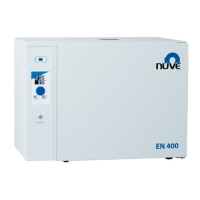
• Clean the incubator at room temperature after disconnecting the power cable.
• Clean the incubator with a damp cloth to remove dirt and dust.
• Use liquid detergent to remove tough dirt.
• Take precautions while handling chemical cleaners. Please be aware of the undesirable
effects of the chemicals and be careful while applying them.
• Check the external condition of the incubator regularly and ensure any rust spots that may
develop are removed.



 To Next Page