10
II. Installing the E-Z Port Hub
The location of the E-Z Port is mostly determined by
where you locate the Simplese amplifier. All Cat-5
cables should be terminated and routed to this loca-
tion. Once this is done, installation of the E-Z Port is
easy.
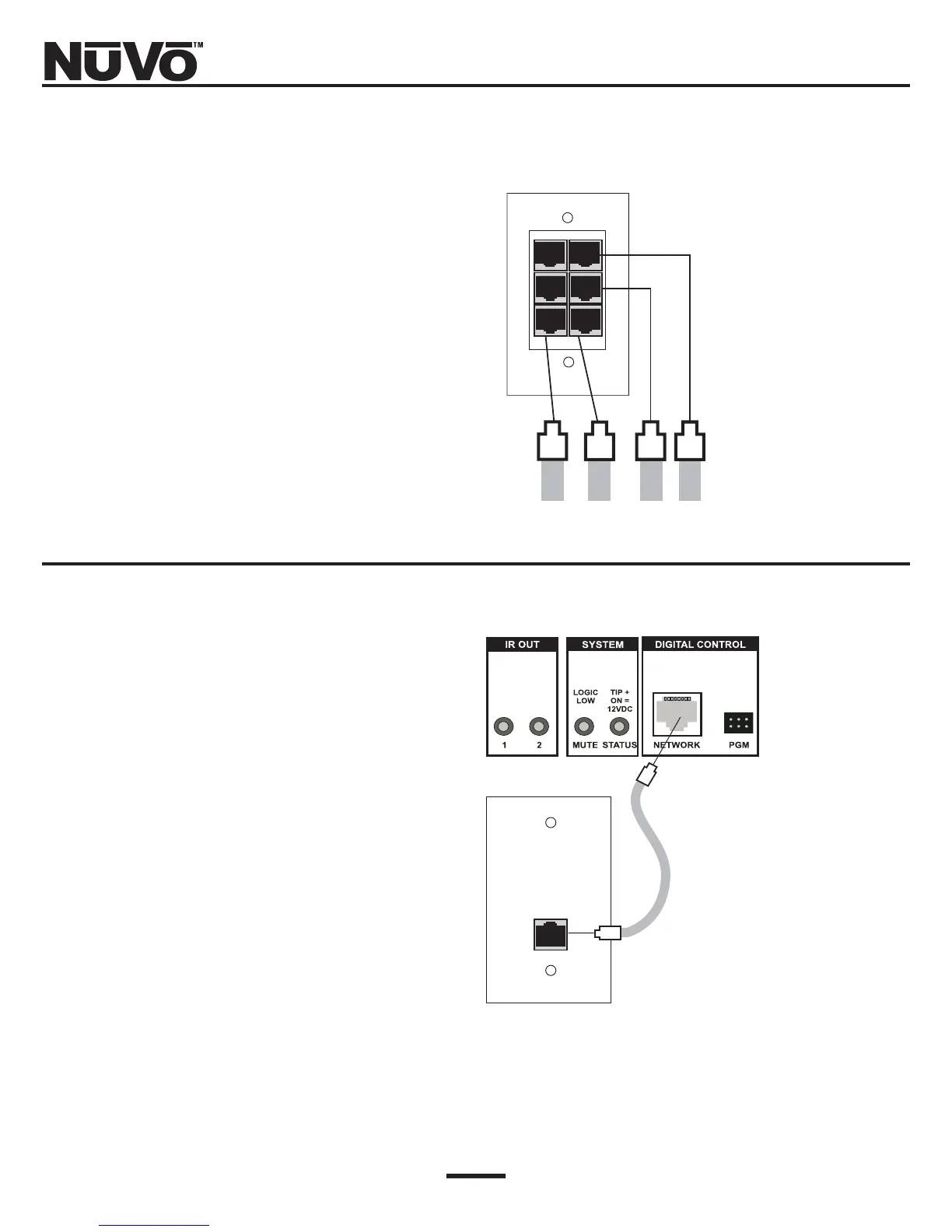
Plug each of the keypad cables into one of six avail-
able jacks on the back of the E-Z Port (Fig. 2). The order
of the cables is not important to the system’s opera-
tion.
III. Connecting the Simplese
amplifier to the E-Z Port
Once you have installed the E-Z Port, connect it to the
Simplese amplifier using the supplied 10 ft. Cat-5 cable
supplied with the package (Fig. 3).
Both RJ45 connectors are wired identically with the
568A wiring scheme, so either end is connected to the
E-Z Port, with the opposite end connecting to the
“Network Input” on the back of the Simplese amplifier.
Fig. 2: E-Z Port Backside
Cat-5 cables from keypads.
Fig. 3: Network Input
NV-NC1 Network Cable attaches the
E-Z Port to the Simplese Amplifier
E-Z Port Face Plate



 To Next Page