5
Simplese
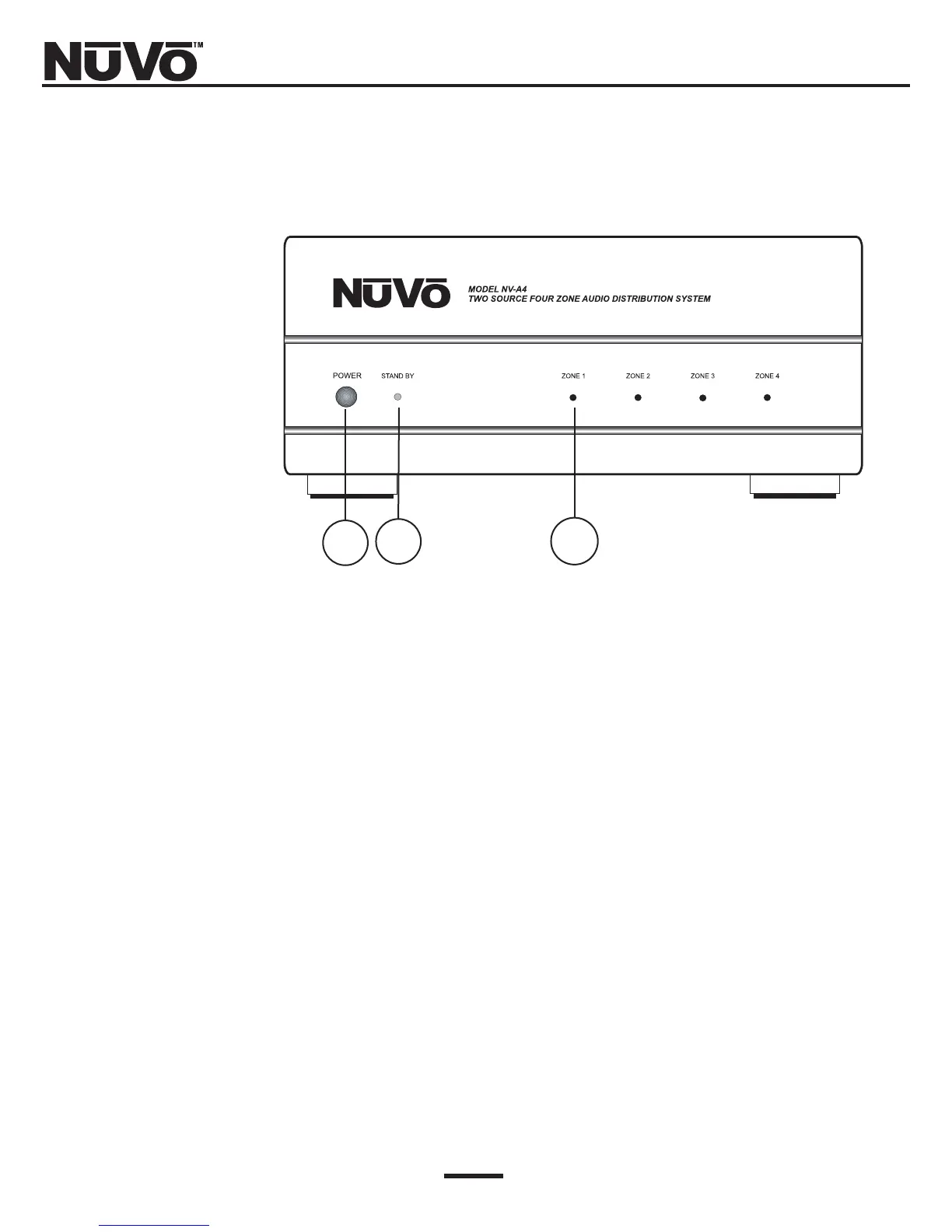
Amplifier Front Panel
1. POWER Button: The power button supplies power to the system. The amplifier is designed
to be turned on and remain on. Each zone can then be turned on or off
independently.
2. Stand By LED: This blue LED (light-emitting diode) will remain lit as long as the power button
is engaged. Note that once the system is installed, it is designed to be left on.
3. Zone Status LED: These LEDs indicate the power status of each zone. Once in standby mode, each
zone has the ability to be powered up or down independently.
12 3



 To Next Page