8
Simplese
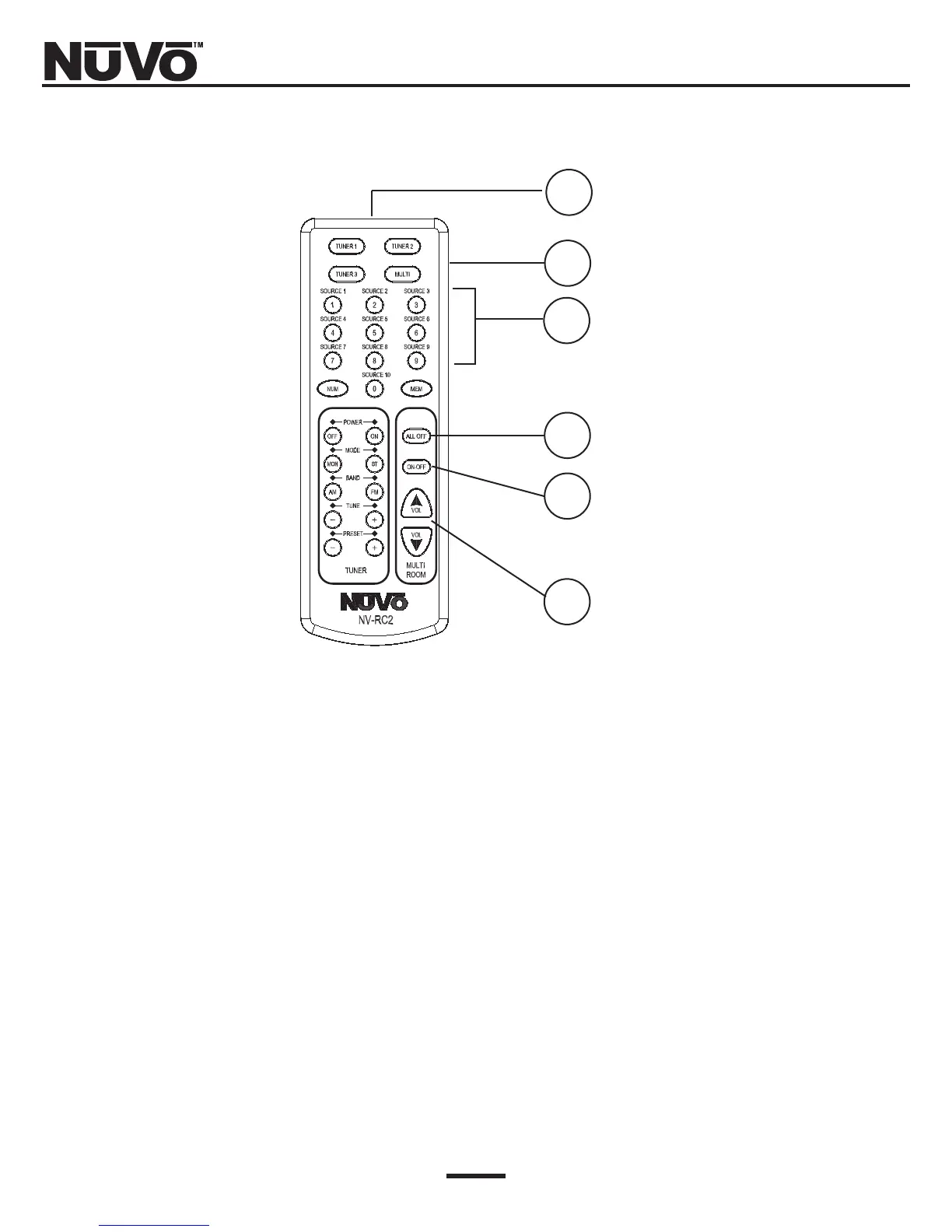
RC2 Remote Control
1. IR Emitter: Use the RC2 remote’s IR emitter to directly control the Simplese system or to
teach the system control functions to any learning remote control.
2. Device Selector: This allows you to easily switch between the NUVO Simplese System and any
of the three NUVO 3-IN-1 Tuners.
3. Numeric Keypad: Use the numeric keypad to change audio sources.
4. ALL OFF Button: Turn off the entire system via IR.
5. Zone ON/OFF Button: Individual zones may be turned on or off via IR.
6. Volume Button: This allows IR control of the individual volume in each zone.
1
2
3
4
5
6



 To Next Page