12
VI. Installing the Simplese Keypads
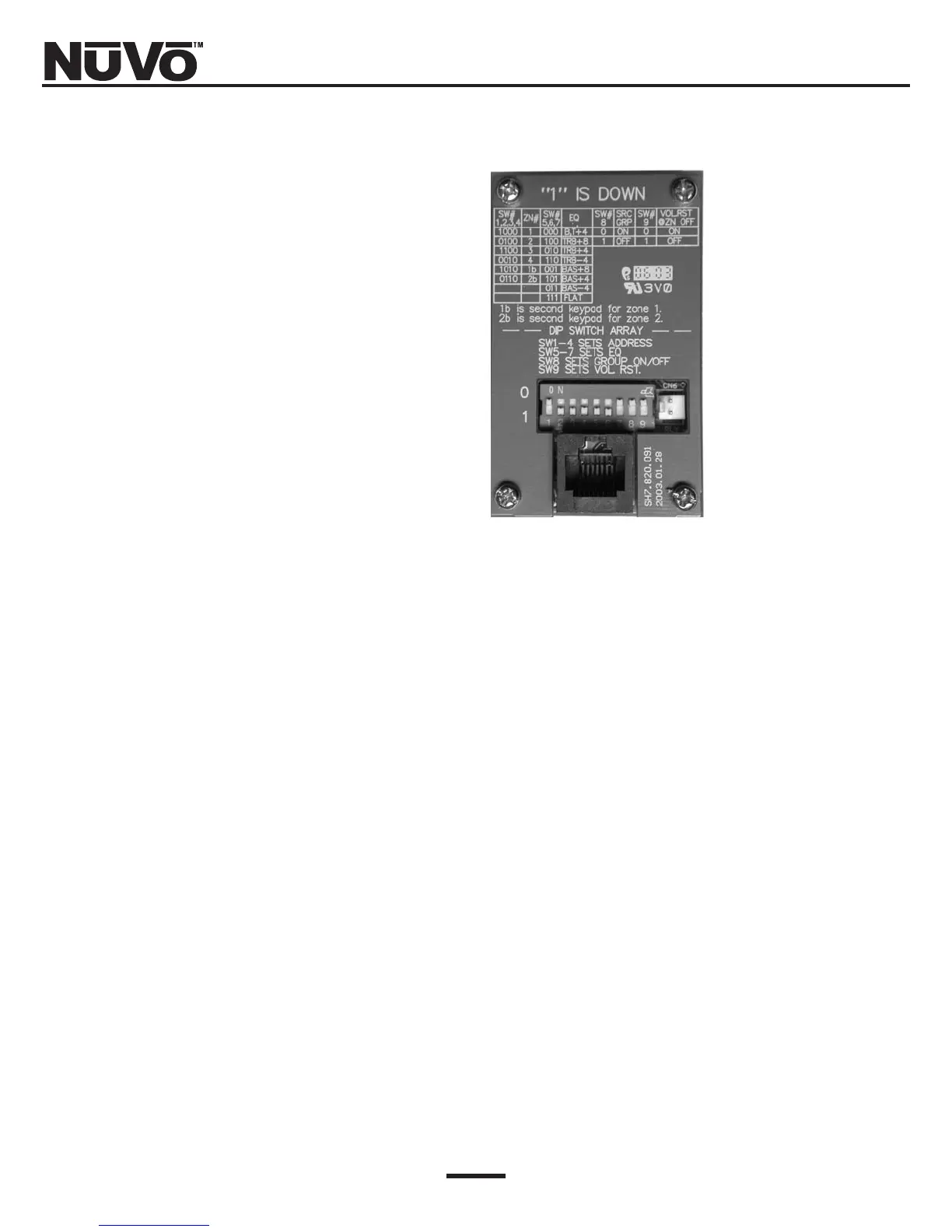
The Simplese NV-A4KPC keypads are the heart of the
NUVO system. You are now ready to install the key-
pads, address them for each zone they will be control-
ling, adjust preset EQs, and group them as necessary,
using a series of DIP switches located on the back of
the keypad (Fig. 6).
The amplifier should be plugged into an AC outlet, and
the “Power” button on the front panel turned on. The
blue “Stand By” LED should be lit.
The following section will be devoted to properly set-
ting the eight DIP switches on each of the system’s
keypads.
Fig. 6: NV-AKP Keypad back panel



 To Next Page