Nuvoton Nu-Link Debug Adapter User Manual
Oct 28, 2014 - 4 - Revision V1.01
2 Hardware Specifications
The Nu-Link Adapter provides an USB connector and a SWD signal interface for connecting to the
target chip. The user can connect the Nu-Link Adapter to an USB port of a PC to debug and program
target chips through the development software tools. As shown in Table 2-1, there are three
specifications for the Nu-Link Adapter, in which debugging, Online/Offline Programming, and SWD I/O
voltage settings may be supported depending on the specifications (refer to the +Appendix for details).
Table 2-1 Nu-Link Adapter Function Comparison
3.3V (default), 5.0V
(3.3V for On-board
version only)
2.1 Nu-Link-Pro
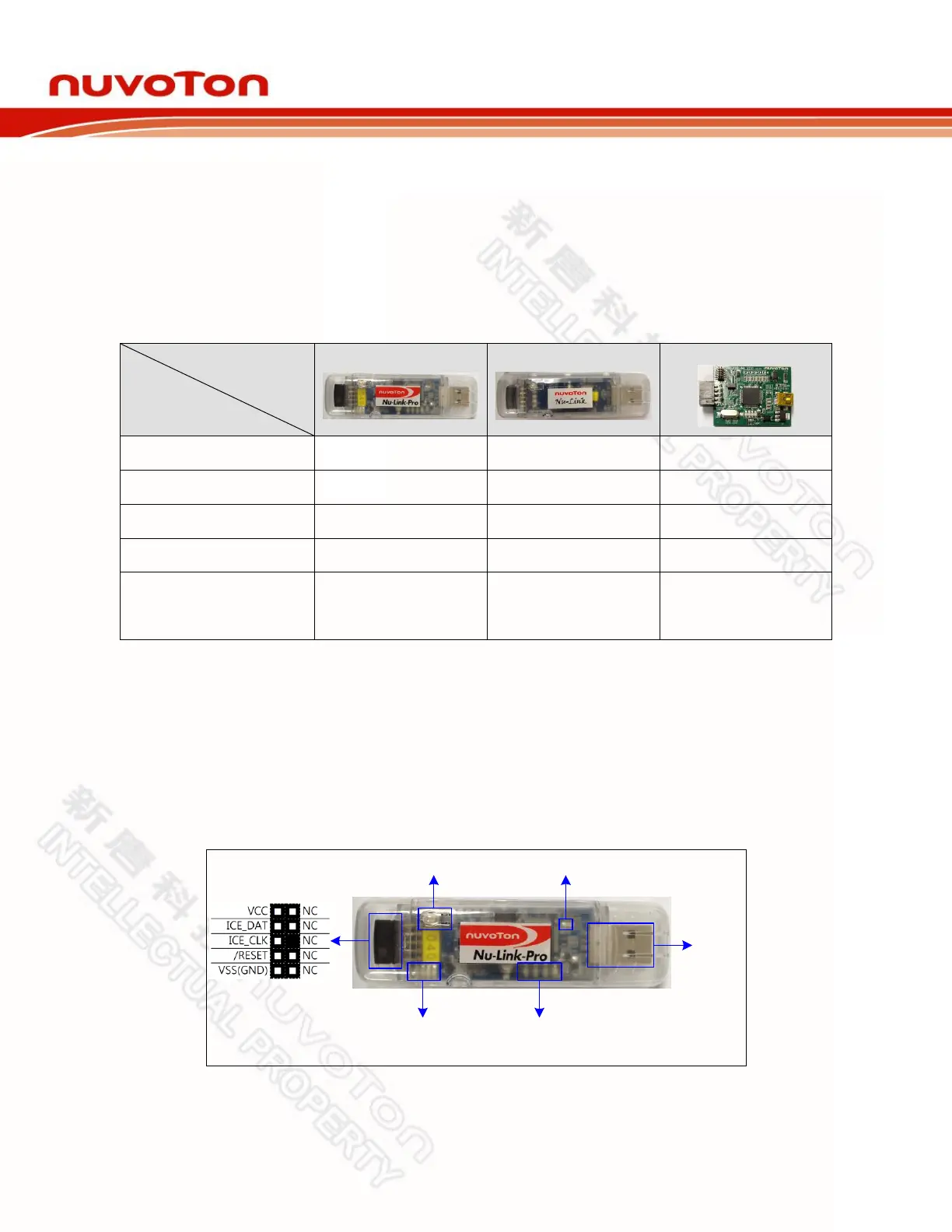
The Nu-Link-Pro is a full-functional debugger and programmer with debugging, online/offline
programming, and SWD I/O voltage setting functions. As shown in Figure 2-1, the Nu-Link-Pro
includes an USB port that can be connected to a computer host, a set of Status LEDs, an offline
programming button, a SWD port that can be connected to a target chip for debugging and
programming (the voltage level of the SWD port can be adjusted through software as 1.8V, 2.5V,
3.3V, or 5.0V), a set of SWD I/O voltage LEDs and SWD Power Output LEDs.
SWD
USB
Offline Programming Button SWD Power Output LED
SWD I/O Voltage LED
(1.8V / 2.5V / 3.3V / 5.0V)
Status LED
(ICE / ICP / Red / Green)
Figure 2-1 Nu-Link-Pro Configuration



 To Next Page