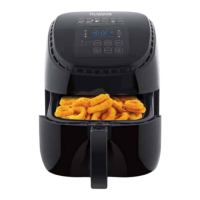
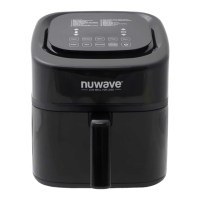
Getting Started
Plug the power cord into an electrical outlet.
1. Press the Power button to turn the Brio on and off and to cancel any cooking
function.
2. Adjust the temperature and time by pressing the Up and Down arrows.
• The default cooking time and temperature is 15 minutes at 350F.
3. Press START/PAUSE to begin cooking.
• The Brio will begin preheating at the set cooking temperature.
Note: The Brio will beep 3 times half-way through the cooking cycle to alert you to open
the Brio Door and shake the food (or ip foods like chicken, steak, or sh) to ensure even
cooking. Close the Brio Door to continue cooking.
START/PAUSE
Press START/PAUSE to begin cooking. To pause cooking, press START/PAUSE or
open the Brio Door.
• The light will turn on when the Brio Door is opened. It will continue to cook once it
is closed.
Temp, Time & Up and Down Arrows
1. To adjust the cooking temperature, press Temp and use the Up and Down arrows
above and below the temperature icon. It is adjustable in 5-degree increments
between 50F and 425F.
• Hold down the Up or Down arrows to adjust the temperature quickly.
Note: The cooking temperature can be adjusted at any time before or during the cooking
process. The current set temperature will be displayed.
2. To adjust the cooking time, press Time and use the Up and Down arrows above
and below the time icon. It is adjustable in 1-minute increments.
• Hold down the Up or Down arrows to adjust the cooking time quickly.
Note: The cooking time can be adjusted at any time before or during the cooking
process.
3. Use either set of the Up and Down arrows to select different Menu presets.
GENERAL USE
14 | nuwavenow.com



 To Next Page