12 • NuWave
®
PIC Gold Complete Cookbook
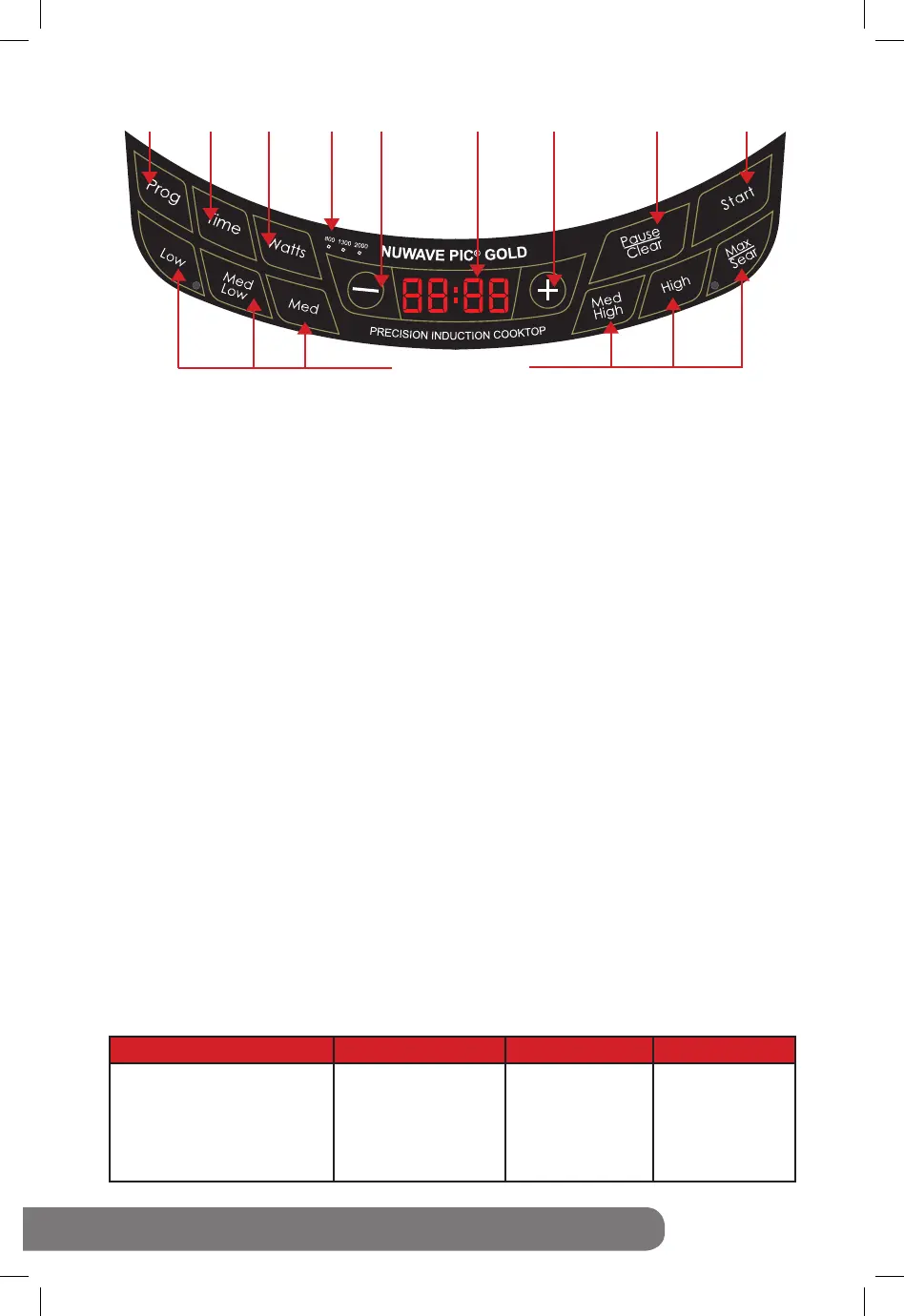
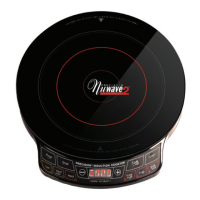
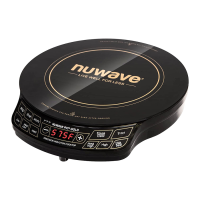
Directions for the Display Panel
Wattage Function:
The default wattage of the PIC Gold is 2000 watts. To change the cooktop’s wattage, press “Watts”
once. The red light will illuminate above “800” indicating that the PIC Gold is now set to 800 watts.
Press “Watts” once more and the red light above “1300” will illuminate, indicating the PIC Gold is now
set to 1300 watts. Press “Watts” again and the red light above “2000” will illuminate, indicating that
the PIC Gold is now set to the default 2000 watts.
Easy Start:
The NuWave PIC Gold is preset to cook on Med/High (190°C) for 1 hour. To begin cooking,
press “Start” button, after placing an induction-ready pot on the surface. If cooking at a power
level other than “Med/High,” press “Low,” “Max/Sear” or press the “-” or “+” buttons to increase
or decrease temperature in 5°C increments. See the Panel Display Chart on the bottom of this
page for more details.
Control Panel:
“C” should appear when program is clear or power is on.
To Start Cooking:
There are several ways to begin cooking with your NuWave™ PIC Gold:
• Press “Start.” Default temperature is 190°C and 1 hour cooking.
• Set temperature and press “Start.” Default is 1 hour cooking.
• Set cooking time and press “Start.” Default temperature is 190°C.
• Set temperature and time, then press “Start.”
The NuWave PIC Gold will automatically stop cooking once time has expired and a “beep” sound will
alert users. The display will always show current temperature during the cooking cycle. To display
time lapse, press “Time” and a countdown will appear, marking the duration before the cycle or stage
is complete.
Setting Temperature:
This appliance is preset to cook on Med/High (190°C). To reset, press the desired temperature key
then press “Start.” The temperature range will appear on the display panel. To raise or lower the
temperature in 5°C increments, press the “+” or “-” buttons until desired temperature is displayed.
Refer to chart below for preset temperatures. The minimum is 40°C while the maximum temperature
reaches 250°C.
NOTE: Display temperature represents the center temperature of 1.5L of oil in the NuWave 3.5-quart
Stainless Steel Pot. Thermometer location for test at the origin (middle) of the NuWave 3.5-quart
Stainless Steel Pot and an equidistant length between the pot base and top of the oil.
C° to F°: The NuWave PIC Gold’s LED screen is defaulted to display cooking temperature in Celsius
(C). To switch the display to Fahrenheit(F), press the “Prog” button, followed by “-”. Press “-” again to
convert to Fahrenheit(F). To return to Celsius, press “-” once more. To close out of the C/F conversion
option, press the “Pause/Clear” button until a “C” appears on the unit’s screen.
Line color
Text color: White
Background: Black
Line thickness: 0.6mm
(same as PIC2 line thickness)
Pantone metallic877C
Program Time
Wattage
Wattage
Indicator
Decrease
LED
Display
Low-Max/Sear
Increase
Pause/Clear
Start
Press Button Range Temperature Panel Display Examples
Low
Med/Low
Med
Med/High
High
Max/Sear
40°C
80°C
135°C
190°C
220°C
250°C
40C
80C
135C
190C
220C
SEAR
Warm
Simmer
Steam
Stir/Deep Fry
Boil/Saute
Sear



 To Next Page