9
8
3. Using the Scan Tool
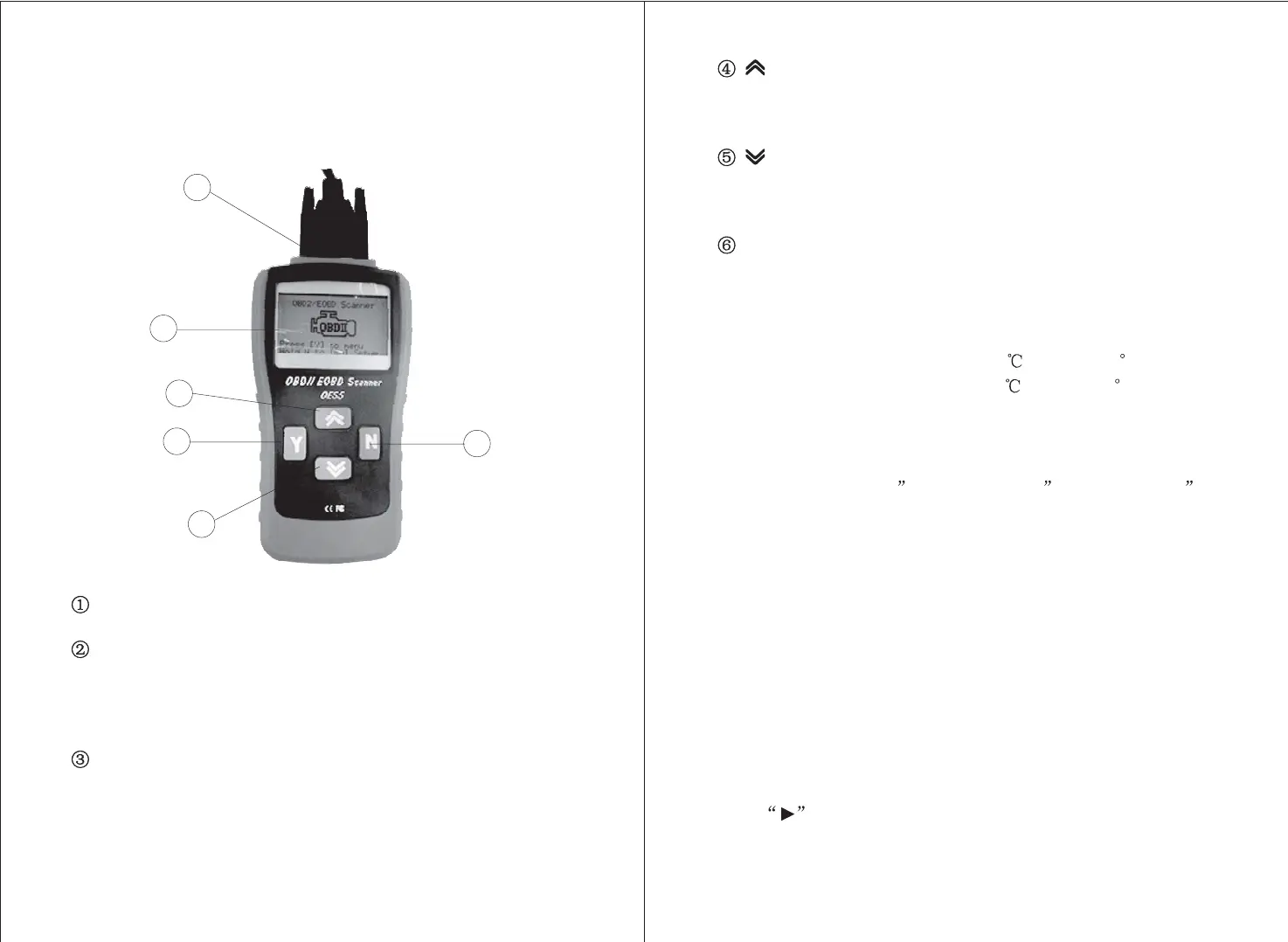
3.1 Tool Description
LCD DISPLAY
YBUTTON
NBUTTON
-- Indicates test results. Backlit, 128 x 64 pixel
display with contrast adjustment.
-- Confirms a selection (or action) from a menu.
When a DTC
,
s definition covers more than one screen,it is used to
move down to the next screen for additional data. It is also used to
reset the tool when being pressed and held simultaneously with the
N button for at least 3 seconds.
-- Cancels a selection (or action) from a menu or
returns to the menu. It is also used to setup the system or exit the
DTC Lookup screen when being pressed and held for at least 3
seconds.
3.2 Specifications
3.3 Accessories Included
3.4 Navigation Characters
Length Width Height
178 mm (7.00 ) 95 mm (3.74 ) 35 mm (1.38 )
1) Display: Backlit, 128 x 64 pixel display with contrast adjustment
2)
3) Storage Temperature: -20 to 70 (-4 to 158 F )
4) Power: 8 to 16 Volts provided via vehicle battery
5) Dimensions:
Operating Temperature: 0 to 50 (32 to 122 F )
6) NW: 0.70kg(1.54lb), GW: 1.0kg(2.20lb)
1) -- Instructions on tool operations
2) -- Provides Power to tool and communicates
between tool and vehicle
3) -- A nylon case to store the scan tool when not in use
User
,
s Manual
OBD2 cable
Carry Case
Characters used to help navigate the scan tool are:
1) -- Indicates current selection.
UP SCROLL BUTTON
DOWN SCROLL BUTTON
OBD II CONNECTOR
-- Moves up through menu and
submenu items in menu mode. When more than one screen of data
is retrieved, moves up through the current screen to the previous
screens for additional data.
-- Moves down through menu
and submenu items in menu mode. When more than one screen of
data is retrieved, moves down through the current screen to the
next screens for additional data.
-- Connects the scan tool to the vehicle
,
s
Data link Connector (DLC).
1
2
3
4
5
6



 To Next Page