CS9350 User’s Guide
3-35
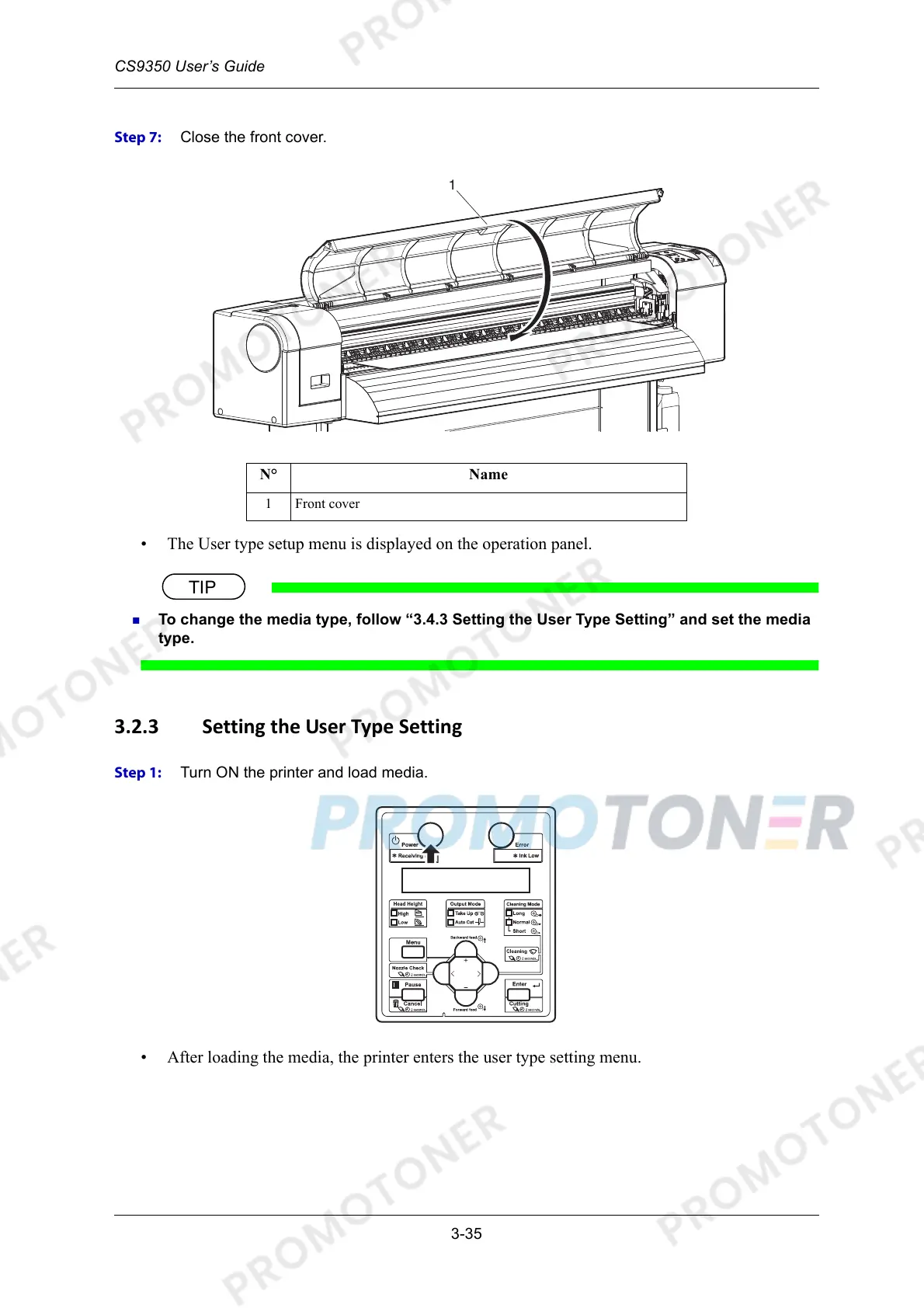
Step 7: Close the front cover.
• The User type setup menu is displayed on the operation panel.
To change the media type, follow “3.4.3 Setting the User Type Setting” and set the media
type.
3.2.3 Setting the User Type Setting
Step 1: Turn ON the printer and load media.
• After loading the media, the printer enters the user type setting menu.
N° Name
1 Front cover



 To Next Page