Section 6 DOCUMENT AND OUTPUT MANAGEMENT FUNCTIONS
6-16
6Deleting the full contents of a box
Perform the following procedure when you want to delete the full
contents of a synergy print box in one step.
1
Press the [Document Management] key. The “Document
Management” screen will be displayed.
2
Touch the “Box editing” key under “Synergy Print Box”. The
screen to select the synergy print box will be displayed.
Inch specifications
Select function.
Document Management
End
Shared Data Box Synergy Print Box Form box
Document
reg.
Document
printing
Document
reg.
Document
printing
Form
reg.
Box
Editing
Box
Editing
Box
Editing
25/10/'01 19:20
Select function.
Document Management
25/10/'01 19:20
End
Shared Data Box Synergy Print Box Form box
Document
registr.
Document
printing
Document
printing
Document
registr.
Form
registr.
Box
Editing
Box
Editing
Box
Editing
3
Either touch the synergy print box that contains the
documents to be deleted, or enter its number using the
keypad. Then touch the “Enter” key. The “Box editing” screen
will be displayed.
Inch specifications
001 ABCD_0000001 006 UVWX_0000006 011 QRST_0000105 016 MNOP_0200104
002 EFGH_0000002 007 ABCD_0000101 012 UVWX_0000106 017 QRST_0200105
003 IJKL_0200003 008 EFGH_0000102 013 ABCD_0200101 018 UVWX_0200106
004 MNOP_0000004 009 IJKL_0000103 014 EFGH_0200102 019 ABCD_0500101
005 QRST_0000005 010 MNOP_0000104 015 IJKL_0200103 020 EFGH_0500102
Box editing
Select box No.
Cancel
Box No.
(with #key)
Enter
1/ 5
Document Management - Synergy Print Box
001 ABCD_0000001 006 UVWX_0000006 011 QRST_0000105 016 MNOP_0200104
002 EFGH_0000002 007 ABCD_0000101 012 UVWX_0000106 017 QRST_0200105
003 IJKL_0200003 008 EFGH_0000102 013 ABCD_0200101 018 UVWX_0200106
004 MNOP_0000004 009 IJKL_0000103 014 EFGH_0200102 019 ABCD_0500101
005 QRST_0000005 010 MNOP_0000104 015 IJKL_0200103 020 EFGH_0500102
Box editing
Select box No.
Job cancel
Box No.
(with # key)
Enter
1/ 5
Document Management - Synergy Print Box
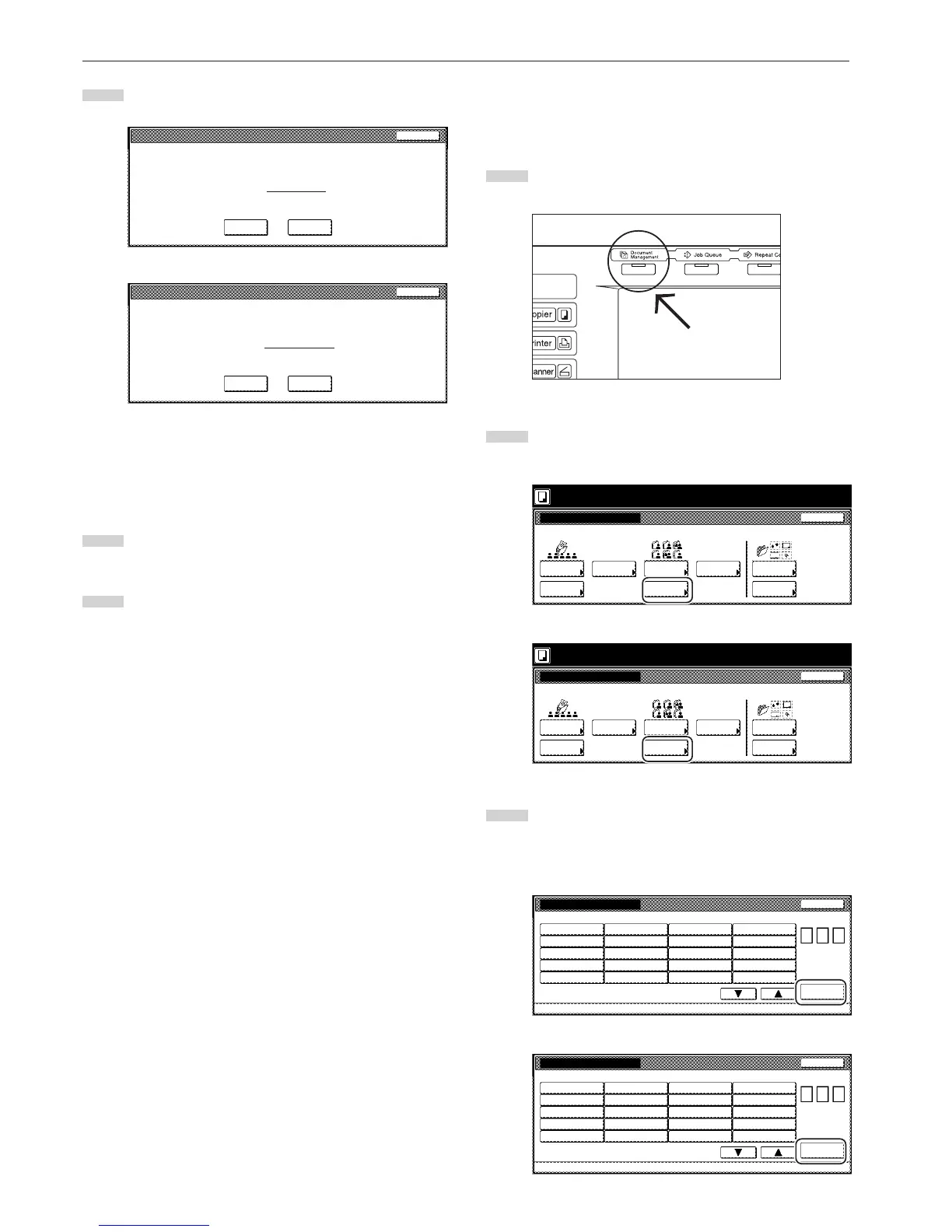
5
Touch the “Yes” key or the “No” key, as appropriate.
Inch specifications
Document name : Job 005
This document(s) will be deleted. Do you want to delete it?
Ye s N o
Stop
Metric specifications
Document name : JOB005
This document will be deleted. Are you sure?
Ye s N o
Stop
If you selected “Yes”, the selected documents will be deleted
and the touch panel will return to the screen in step 4.
If you selected “No”, the touch panel will return to the screen
in step 4 without deleting the selected documents.
6
If you want to delete other stored documents, repeat steps 4
and 5.
7
Touch the “End” key. The touch panel will return to the
screen in step 2.
Touch the “End” key once again. The touch panel will return
to the contents of the “Basic” tab.



 To Next Page