Section 5 OTHER CONVENIENT FUNCTIONS
5-12-2
8
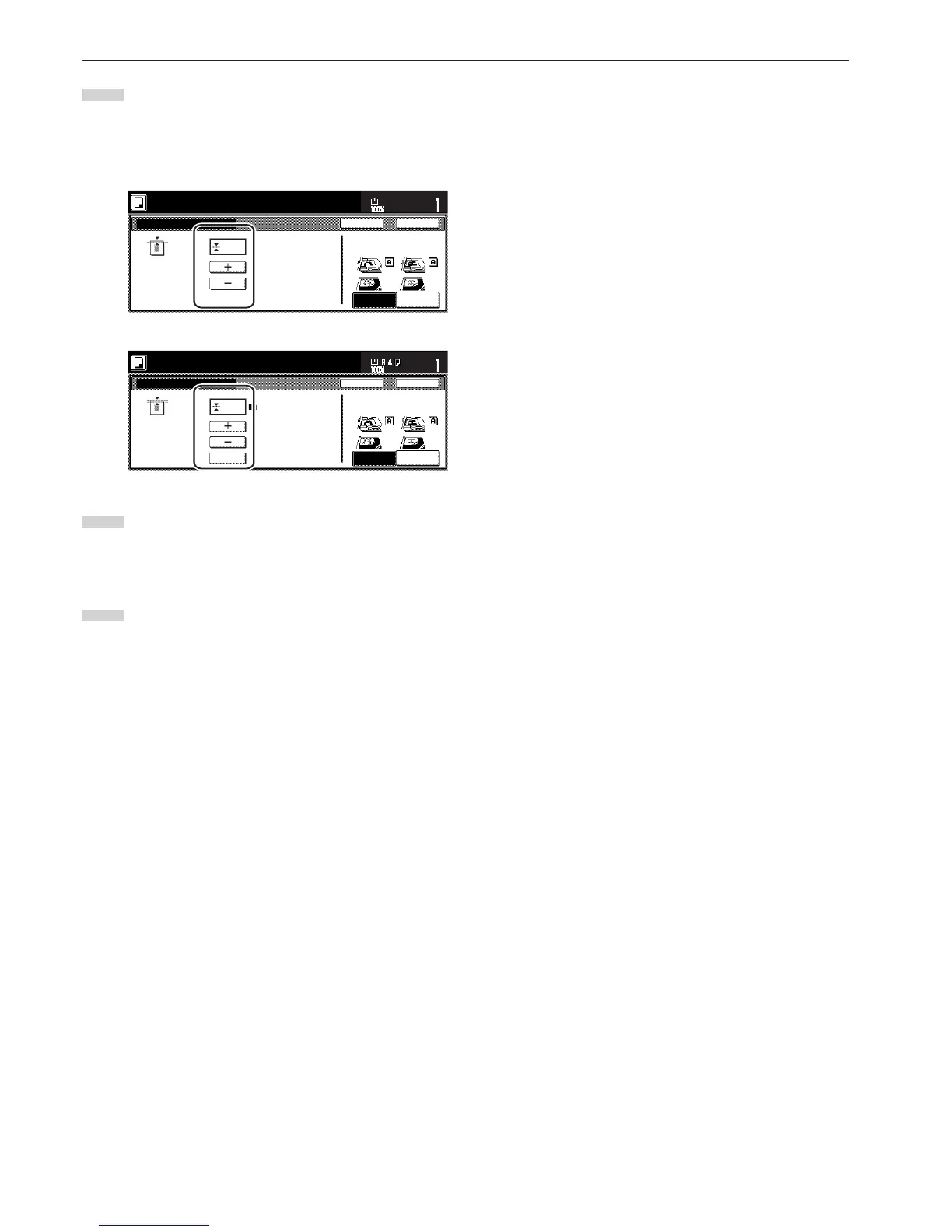
Touch the “+” key or the “–” key to change the displayed
border width to that desired.
* In metric specification copiers, the desired border width can
also be entered directly by touching the “#-Keys” key and
then using the keypad.
Inch specifications
To p
Individual Border Erase
Ready to copy.
Back Close
11x8
1
/
2
"
Set
Paper size
(0~2)
1
/
4
"
Rear
Check direction
Left top
corner
Check direction of
original top side.
Metric specifications
To p
Individual Erase Mode
Ready to copy.
Back Close
Set
Paper size
Back Edge
Left top
Corner
Check direction
Check direction of
original.
(0~50)
6
#-Keys
9
Touch the “Close” key. The touch panel will return to the
screen in step 7.
If you want to change the width of any of the other borders,
repeat steps 7 through 9.
10
Press the [Start] key.
Copying will start.



 To Next Page