Add toner
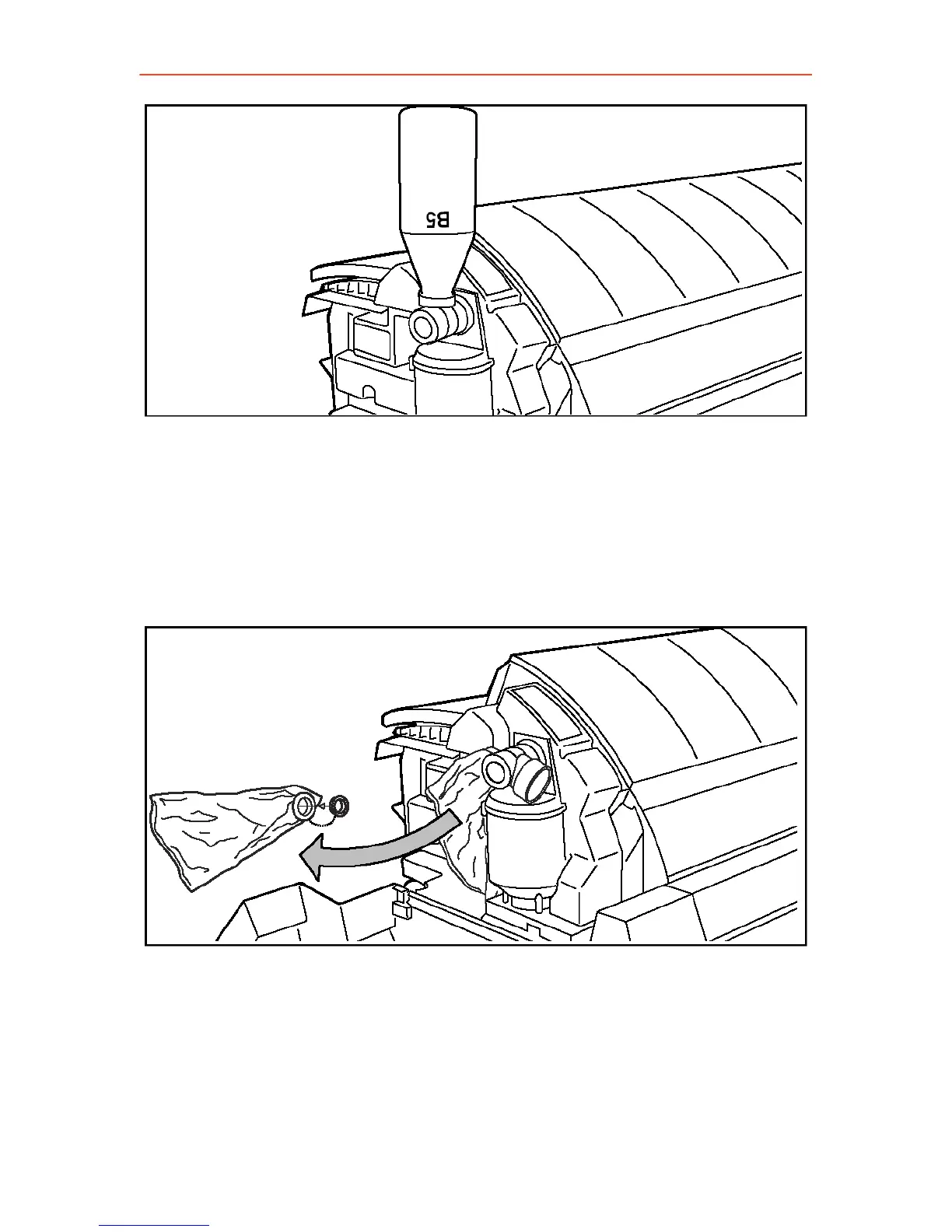
5. Tap the bottle to remove the toner from the bottle.
6. Return the bottle to its original position when the toner bottle is empty.
7. Unscrew the toner bottle anti-clockwise and close it.
Replace the waste toner bag
1. Pull the waste toner bag from the holder and place the cap provided
on the bag.
2. Slide a new waste toner bag over the holder.
3. Close the cover and tighten the knurled nut.
4. Press the On-line key to resume printing.
Note: Replace the toner waste bag, every time you refill the toner.
5. Close the cover.
39



 To Next Page