Settings under "Fax Settings"
2
2-274 VL6522c/VL5522c/VL4522c
2.63
2.63.4 Configuring settings for the fax functions
Configure settings related to the fax functions.
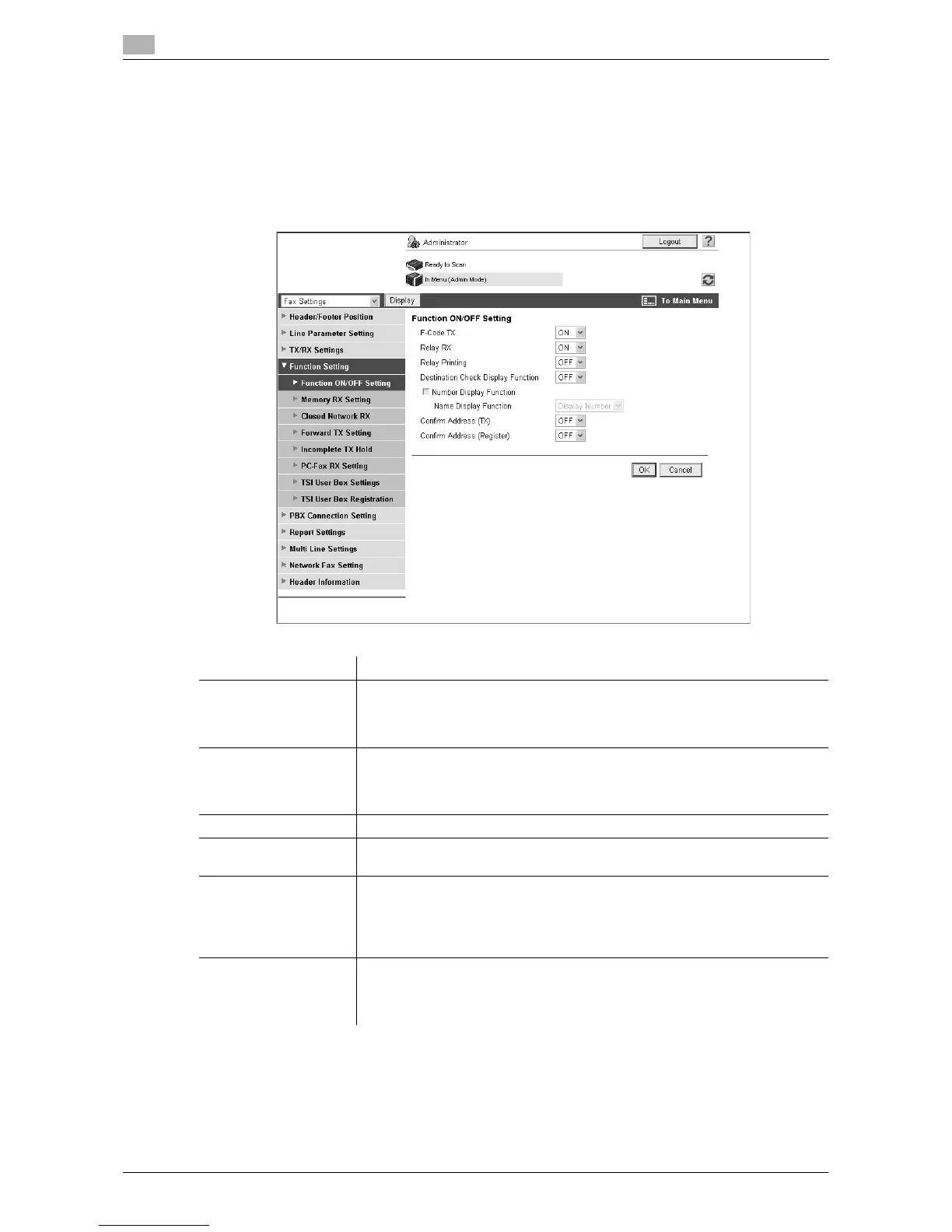
Function ON/OFF Setting
In the administrator mode of Web Connection, select "Fax Settings" ö "Function Setting" ö "Function
ON/OFF Setting".
Item Description
F-Code TX Select whether to use the F-code transmission function.
This function sends documents to a specific User Box of a remote machine by
entering the SUB address and the sender ID. To use the F-Code for transmis-
sion, the remote machine must support the F-Code function.
Relay RX Select whether to use this machine as a relay distribution station.
A relay distribution station broadcasts documents received from a relay in-
struction station to the relay distribution destinations.
To use the relay distribution function, you must register a relay User Box.
Relay Printing Specify whether to print relayed documents after the relay distribution.
Destination Check Dis-
play Function
Select whether to display the list of the specified destinations when sending a
fax.
Confirm Address (TX) Specify whether to require re-entry of a fax destination for confirmation pur-
poses when the user specifies the destination by directly entering the fax
number.
By having the user enter it twice, you can prevent the destination from being
incorrectly entered.
Confirm Address (Reg-
ister)
Specify whether to require re-entry of a fax destination for confirmation pur-
poses when adding the destination with the address book.
By having the user enter it twice, you can prevent the destination from being
incorrectly entered and registered.


 To Next Page