On/10 sec/20 sec/30 sec/45 sec/60 sec/90
sec/120 sec/180 sec.
Select “On” will force your radio’s backlight to
remain on constantly. If you select a specific
time delay, after the selected time period has
lapsed the display will dim down.
2. On level: This option will determine how
bright the display’s backlight is lit while the
radio is in ON mode. There are 3 options for
this setting: High, Medium & Low.
3. Dim level: This is to set the brightness of
the dim level in Standby if the time-out
session has been selected. Choose one of the
brightness levels - low/medium/high when a
specific time delay is selected, it will dim down
to the level you have selected at this option.
Language
There are 4 languages available to display the
menu: English, French, German, Italian.
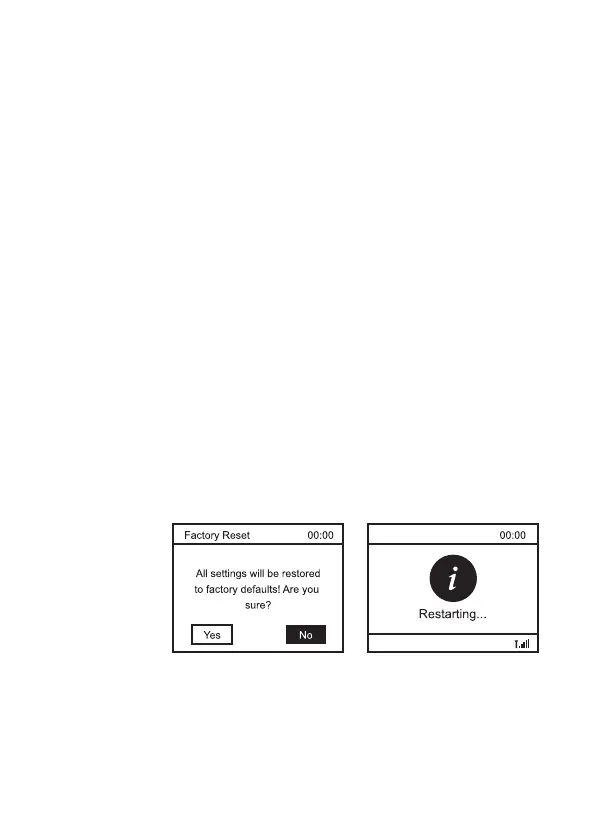
Factory reset
The DAB Radio can be reset to the factory
default any time. Once a reset has been
performed, the DAB Radio will automatically
begin Full scan.
1. Select “Factory Reset”, the display will
shows:
2. Press “◄” or “►” key to choose <Yes>,
then press “Select” to perform the rest.
Important: Once the factory reset is done,
all the previous settings and presets will
be erased.
‒ 7 –













 To Next Page