EasyManua.ls Logo

Ocean Digital DBA-01C8 - User Manual

Ocean Digital DBA-01C8
15 pages
Print Icon
To Next Page IconTo Next Page
Loading...
User Manual
DAB+/DAB/FM Radio Adaptor
with Bluetooth
DBA-01C8
(Additional powered speaker / active speaker is required
to use this product)
Please read this user manual carefully before using receiver
Question and Answer IconNeed help?

Do you have a question about the Ocean Digital DBA-01C8 and is the answer not in the manual?

Summary

Location of Controls

Physical Controls Overview

Describes the physical buttons, ports, and display elements of the radio adaptor.

Remote Control Functions

Button Operations

Details the function of each button on the remote control for device operation.

Getting Started

Radio Modes and DAB Features

Radio Mode Selection

Explains how to switch between DAB, FM, and Bluetooth radio modes.

DAB Operation Guide

Details the steps for operating the DAB radio, including scanning and playback.

DAB Slideshow Function

Describes how to view image slideshows transmitted via DAB broadcasts.

DAB Menu and Settings

Station List and Scan

Covers viewing station lists, performing full scans, and manual tuning.

Invalid Station Pruning

Explains how to remove DAB stations that are no longer received.

DRC Functionality

Details Dynamic Range Control for adjusting sound levels in noisy environments.

System Configuration

Time and Date Settings

Guides on setting and updating the device's time and date manually or automatically.

Backlight Adjustment

Covers configuring display backlight timeout and brightness levels.

Language and Reset Options

Language Selection

Options for changing the menu display language.

Factory Reset Procedure

Steps to reset the device to its original factory default settings.

Software and Information Display

Software Management

Information on software updates and checking the current version.

Radio Broadcast Information

Viewing details like DLS, frequency, and audio format from radio broadcasts.

FM Radio Operations

FM Scan and Tuning

How to perform automatic scans and manually tune FM radio frequencies.

FM Menu Settings

Details on FM scan settings, audio options, and system configurations.

Information Display and Presets

FM RDS Information

Viewing Radio Data System (RDS) information for FM broadcasts.

Preset Station Management

Instructions on saving and accessing favorite radio stations.

Preset Recall and Sleep Timer

Recalling Preset Stations

Methods to recall saved radio stations using the Recall button or number keys.

Sleep Timer Function

How to set and cancel the automatic sleep timer for the radio.

Alarm and Bluetooth

Setting the Alarm

Configuring alarm settings including frequency, time, source, duration, and volume.

Bluetooth Pairing

Steps to connect a Bluetooth device for music playback.

Technical Specifications and Box Contents

Technical Specifications

Details on model, power, audio, and unit dimensions.

Included Accessories

Lists all items included in the product packaging.

Overview

The Ocean Digital DBA-01C8 is a versatile DAB+/DAB/FM radio adaptor with Bluetooth connectivity, designed to enhance your audio experience by connecting to external powered speakers or active speakers. This device acts as a hub for various radio broadcasts and wireless audio streaming, offering a comprehensive set of features for both casual listening and advanced control.

Function Description

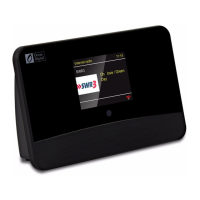
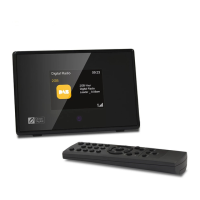
The primary function of the DBA-01C8 is to receive and process digital audio broadcasting (DAB+ and DAB) and FM radio signals, delivering them through an external audio system. It also integrates Bluetooth functionality, allowing users to stream audio wirelessly from their compatible devices. The adaptor features a 2.8" TFT color display for clear visual feedback and an infrared remote control sensor for convenient operation from a distance.

For radio reception, the device supports both DAB/DAB+ and FM bands. In DAB mode, it performs a full scan to find available stations and displays them alphabetically. It also supports DAB slideshows, showing images transmitted by broadcasters on its display, which can be enlarged to full screen. FM mode allows for auto-scanning of available stations and manual tuning, with options for "Strong station only" or "All station" scanning, and "Stereo allowed" or "Forced mono" audio settings.

The Bluetooth function enables wireless audio streaming from any Bluetooth-enabled device. Once paired, the adaptor acts as a receiver, playing music from your phone, tablet, or computer through the connected speakers.

Beyond basic playback, the DBA-01C8 includes an alarm function with two independent alarms, allowing users to set wake-up times with various sources (Buzzer, Digital Radio, or FM) and durations. A sleep timer is also available, which automatically turns off the radio after a selected period, making it ideal for winding down before sleep.

Usage Features

The DBA-01C8 offers a user-friendly interface, primarily controlled via a remote control, which provides access to all its functionalities.

Remote Control Features:

  • Power/Mute: On/off standby and silent mode control.
  • Numeric Buttons (1-10): For presetting and recalling radio stations. A brief press recalls a station, while a long press stores it.
  • Alarm 1/2: Directly access alarm settings.
  • Up/Down (▲/▼) Buttons: Navigate menus, scroll through lists, and fine-tune frequencies in FM mode. In DAB mode, these buttons help navigate the station list. Long pressing in FM mode skips to the next/previous available channel.
  • Select: Confirms operations and selections.
  • Mode: Cycles through DAB, FM, and Bluetooth modes.
  • CLK Set: Sets the clock.
  • Info: Displays detailed information about the current playing station and returns to the playing screen from other menus.
  • Sleep: Sets the sleep timer.
  • Scan: Initiates a full scan for DAB stations and an auto scan for the next available FM station.
  • Dimmer: Adjusts the display brightness with three levels.
  • Menu: Accesses the main menu of the current radio mode.
  • Recall: Displays the list of preset stations.

Radio Mode Operation:

  • DAB Radio: After an initial scan, stations are listed alphabetically. The device remembers the last listened station. DAB slideshows can be activated to view images broadcasted by stations. The main menu in DAB mode offers options like "Station List," "Full Scan," "Manual Tune" (to check signal strength for specific frequencies), "Prune Invalid" (to remove unreceived stations), "DRC" (Dynamic Range Control), and "System Settings."
  • FM Radio: Features auto-scan and manual tuning. The FM menu includes "Scan setting" (strong station only or all stations), "Audio setting" (stereo allowed or forced mono), and "System setting."
  • Bluetooth: Easily discoverable as "DBA-01C" for pairing. Once connected, audio from your device streams through the adaptor.

Alarm and Sleep Timer:

  • Alarm Setting: Two alarms can be configured with options for frequency (Daily, Once, Weekends, Weekdays), wake-up time, source (Buzzer, Digital Radio, FM, or a specific preset station), duration (15 to 120 minutes), and volume. Alarms can be canceled via the remote.
  • Sleep Timer: Allows users to set the radio to turn off automatically after 15, 30, 45, 60, 90 minutes, or OFF. A crescent moon icon on the display indicates an active sleep timer.

Information Display:

  • DAB Information: The "Info" button cycles through Dynamic Label Segment (DLS) text (artist, title, news), channel frequency, signal error strength, time and date, program type (PTY), and audio format.
  • FM Information: Uses Radio Data System (RDS) to display information such as radio name, audio format (mono/stereo), program type (PTY), radio text, and current date and time, provided the signal reception is strong.

Preset Stations:

  • Up to 10 DAB radio stations can be preset for quick access. Stations are stored by holding a numeric button (1-10) and recalled by a brief press. A preset icon with the corresponding number appears on the display when a preset is active.

Maintenance Features

The DBA-01C8 incorporates several features to ensure optimal performance and user customization.

System Settings (accessible via DAB or FM menu):

  • Time/Date:
    • Set Time/Date: Manual adjustment of current time and date.
    • Auto Update: Automatically sets time and date from DAB or FM broadcast data. "From Any" or "No update" options are available. DAB auto-update is recommended for reliability.
    • Set 12/24 Hour: Switches between 12-hour and 24-hour clock formats.
    • Set Date Format: Changes the date display format (DD-MM-YYYY/MM-DD-YYYY).
  • Backlight:
    • Timeout: Sets the duration for the display backlight to remain lit in STANDBY mode (On, 10-180 seconds).
    • On level: Determines backlight brightness when the radio is ON (High, Medium, Low).
    • Dim level: Sets the brightness of the dimmed display in Standby mode if a timeout is selected (Low, Medium, High).
  • Language: Offers a choice of four display languages: English, French, German, and Italian.
  • Factory Reset: Resets the radio to its default settings, erasing all previous configurations and presets. After a reset, the device automatically performs a full DAB scan. This is useful for troubleshooting or preparing the device for a new user.
  • Software Update: This option is available for future software enhancements, to be used under the guidance of the seller.
  • Software Version: Displays the current software version of the radio.

Connectivity and Setup:

  • The device requires an external AC adaptor (supplied) for power.
  • It connects to external powered speakers via a 3.5mm audio out socket (or RCA adaptor with a 3.5mm plug).
  • A wire antenna (supplied) plugs into the 3.5mm antenna input socket, and extending it fully is recommended for best reception.
  • Proper placement near a window can also improve reception.

The DBA-01C8 is designed for longevity and ease of use, with features that allow for personalization and maintenance of optimal performance. In case of strong electromagnetic interference, a simple reset can restore normal operation, or relocating the product may be necessary.

Ocean Digital DBA-01C8 Specifications

General IconGeneral
TypeInternet Radio
ConnectivityWi-Fi, Ethernet
Wi-Fi802.11b/g/n
Audio Output3.5mm headphone jack, RCA
DisplayLCD
Power SupplyAC adapter
Presets99
Supported FormatsMP3, WMA, AAC
AntennaWi-Fi antenna

Related product manuals