Choose <Internet Radio> from the menu, and you will see
several listed options.
To start listening to the radio stations worldwide, select <Radio
Station/Music>.
My Favorites
This is to show the list of your Favorite stations which have been
assigned to the presets.
To preset a station:
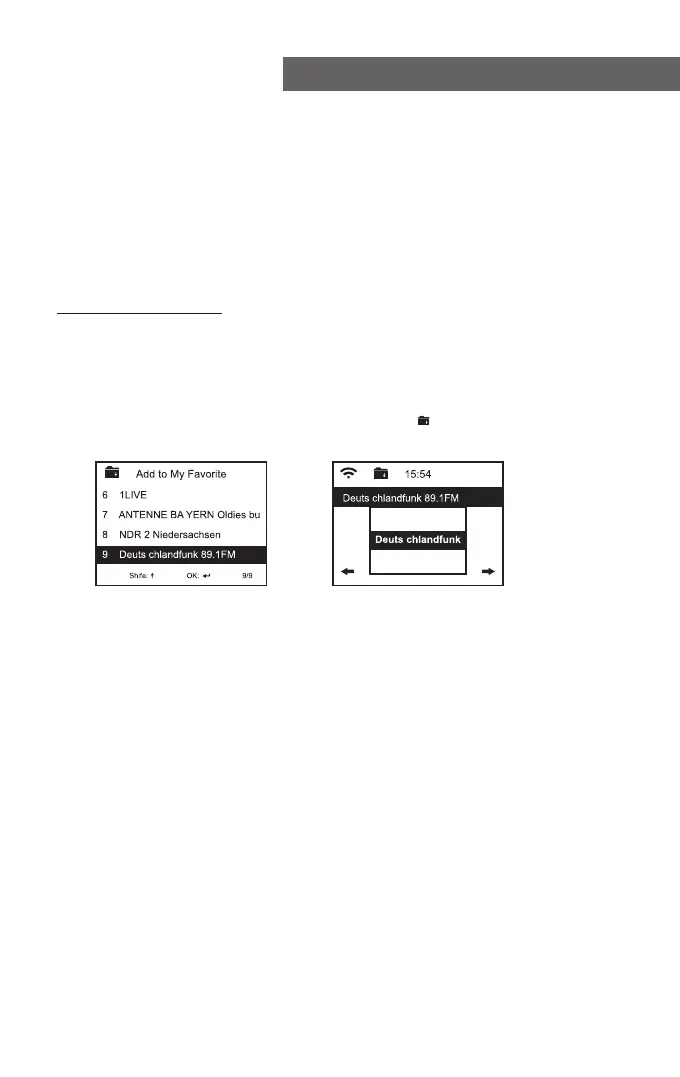
While you are playing a favorite station, press and hold the
<Preset> button and the <Add to My Favorite> menu will
display. Press the rotary knob to confirm. The playing station will
be added to the preset list automatically.
The presets will be stored in ascending order. You can store up to
250 presets.
Note: Preset 1 to 5 are reserved for your own choice of the
dedicated radio channels. The preset will be intended to
store from no. 6 onward. You can scroll to choose no. 1-5 at
your preference.
You can edit your favorite list at anytime. Go to <My Favourite>
on the menu or press the <Preset> button when it displays the list
of favorite stations, then press the -> right button. The following
options will display:
Delete – To delete the selected station
Shift up- To shift the selected station by one level up on the
ranking
Shift down – To shift the selected station by one level down on the
ranking
Rename – To rename the selected station
Play – press and play the selected station
Internet Radio
Press rotary knob to confirm
The symbol on the top row means
station is added to preset list
- 06 -















 To Next Page