3: Using NeoFox with NeoFox Viewer Software
18 013-20000-009-02-201510
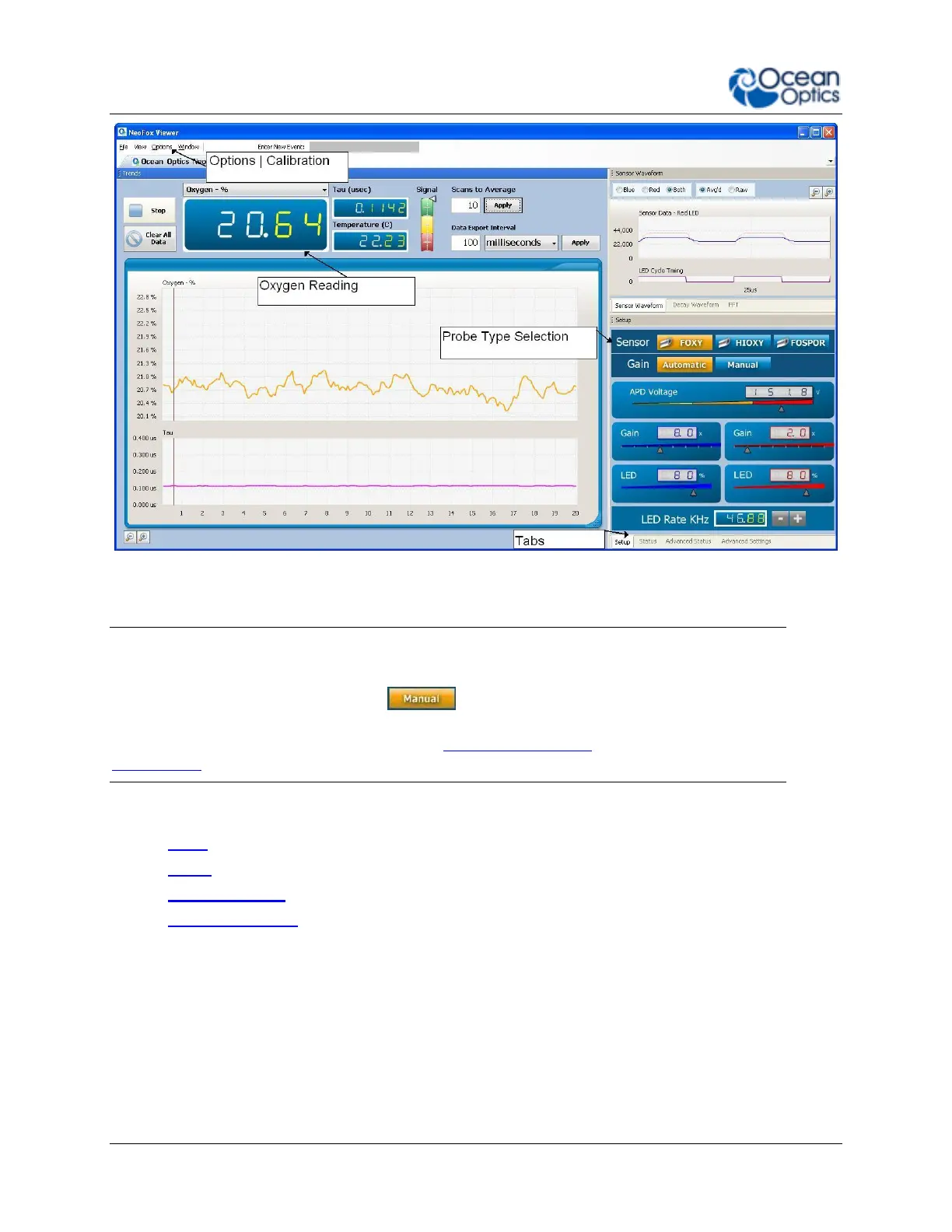
NeoFox Viewer Advanced Settings Window
Note
If the controls on the right side of the screen seem to be disabled, stuck, or if they say Error even
after clicking the Manual Gain button ( ), the problem is likely that the firmware and
software versions are not compatible. You will then need to install the appropriate software
version onto your computer to use NeoFox. See Software Installation and Appendix B:
Maintenance for more information.
The Advanced Settings window contains the following tabs (bottom right corner of screen):
Setup
Status
Advanced Status
Advanced Settings
Setup
Setup allows you to perform such functions as Sensor Type Selection, adjusting the APD Voltage (for
firmware versions below 4.00), and Calibrating the Probe.


 To Next Page