C: Analog Output
48 013-20000-009-02-201510
2. In the Advanced Settings tab, select an appropriate data source from the dropdown box located to
the right of the “Voltage Output Source” setting. For more info on valid sources, please see
Selecting a Data Source.
3. Select a valid lower bound for your represented data range by typing a number into the box
located to the right of the “Analog Voltage Lower Bound” setting. In some versions of the
Viewer software, this setting may be called “Voltage Limit Minimum”. For more information on
selecting a lower bound for your voltage, see Selecting a Data Range.
4. Select a valid upper bound for your represented data range by typing a number into the box
located to the right of the “Analog Voltage Upper Bound” setting. In some versions of the Viewer
software, this setting may be called “Voltage Limit Maximum”. For more information on
selecting an upper bound for your voltage, see Selecting a Data Range.
You can save your settings by enabling the “Flash Write” setting momentarily.
Configuring the Analog Current Output Channel with
NeoFox Viewer
► Procedure
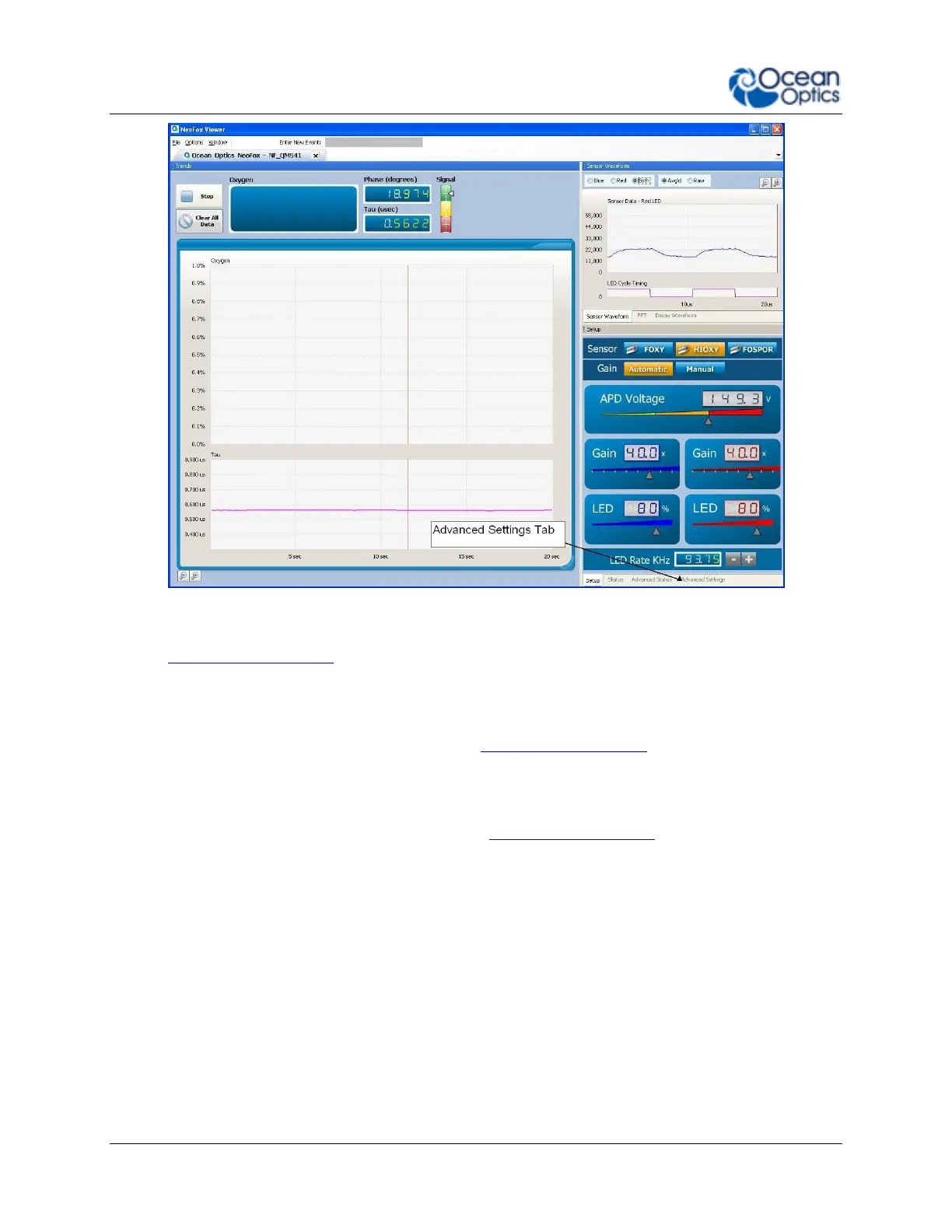
1. Select the Advanced Settings tab on the Advanced View screen to view the advanced settings.



 To Next Page