4: Using NeoFox Sport
013-20000-009-02-201510 37
The following additional steps must be taken once after a flash reset has been performed. These steps are
required to let the device know that it should communicate with the NeoFox Sport DPU.
► Procedure
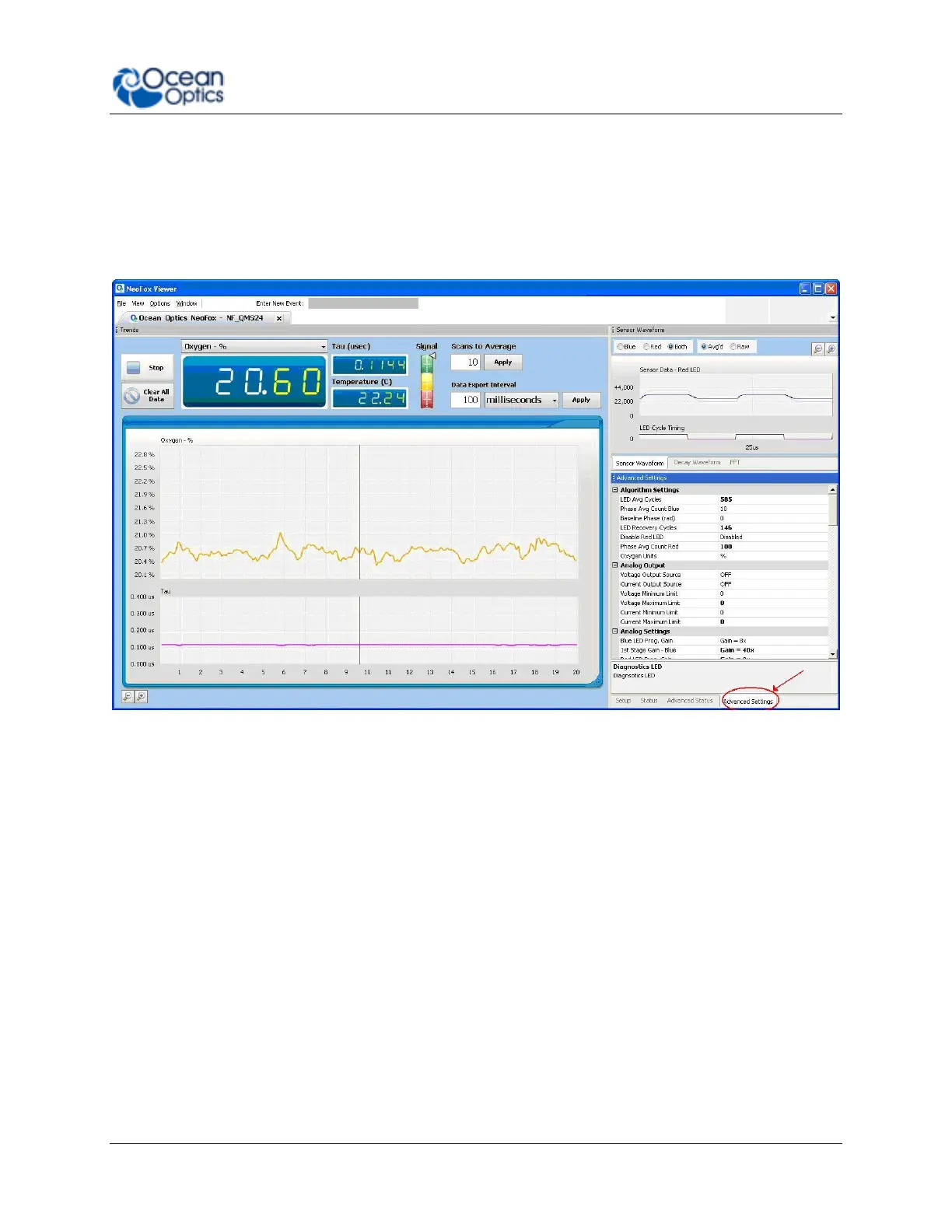
1. In the NeoFox Viewer software, Select View | Advanced Settings.
2. Click on the Advanced Settings tab in the lower right-hand corner of the screen.
4. Scroll down to the Enable Jaz Interface parameter and set it to Enabled.
5. Set the Flash Write parameter to Enabled. It will remain displayed as Enabled briefly before
reverting to Disabled.
Data Logging / Saving Data
NeoFox Sport provides you with the following functionality for logging/saving data:
Log data to an SD card
View the file name of the data log
Set the data logging interval
Logging Data
The NeoFox Sport allows you to log data to an SD card via the Oxygen Sensor | Sensor Setup | Data
Logging menu. When you select Turn datalog on from this menu, a log file is created on the SD card



 To Next Page