3: Using NeoFox with NeoFox Viewer Software
24 013-20000-009-02-201510
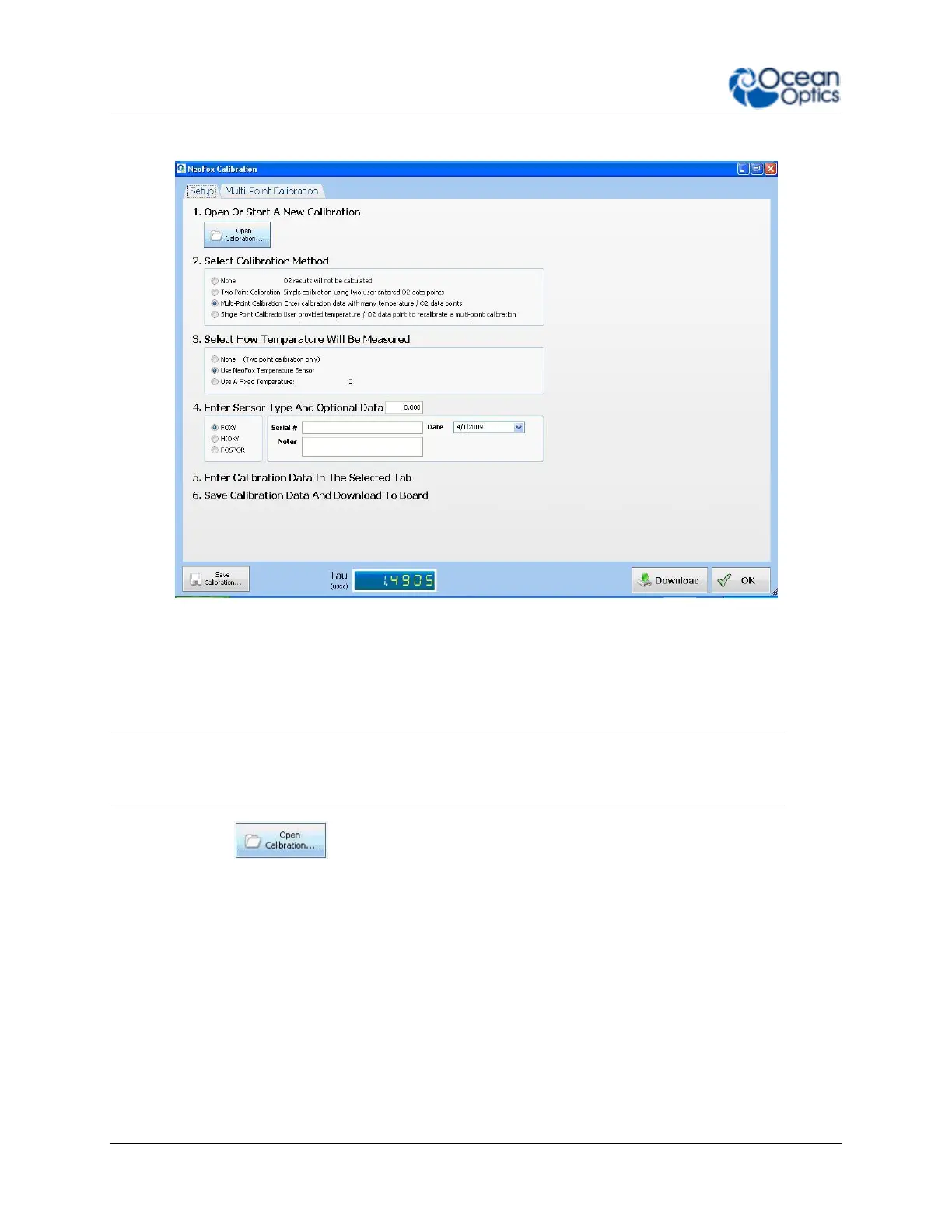
2. Click the Setup tab. The Setup screen appears.
3. Under Select Sensor Calibration Method, choose Multi-Point Calibration.
4. Under Select How Temperature Is Measured, choose Use NeoFox Temperature Sensor.
5. Under Enter Sensor Type And Optional Data, choose the type of sensor and add the serial number
and any notes needed.
Note
Normalized decay time = τ0/τ.
6. Click the button, then browse to the location of the factory calibration file on the
NeoFox CD.
7. Select the Multi-Point Calibration tab. The uploaded calibration table appears on the left side of
the screen. The curve-fitted graphs appear on the right side of the screen.



 To Next Page