2: Installing the QE-PRO
891-00000-000-02-201603 13
Monitors TEC status:
Off: The TEC system is off.
Orange: The TEC has not yet stabilized at its given setpoint.
Green: The TEC is stable (has been within 1°C of the
setpoint for at least 15 seconds).
Configuring the QE Pro
The QE Pro can be used with OceanView software when connected to the USB port. If you have
followed the previous steps and started your spectrometer operating software, the spectrometer is already
acquiring data. Even with no light in the spectrometer, there should be a dynamic trace displayed in the
bottom of the graph. If you allow light into the spectrometer, the graph trace should rise with increasing
light intensity. This means the software and hardware are correctly installed.
Configuring QE Pro in OceanView
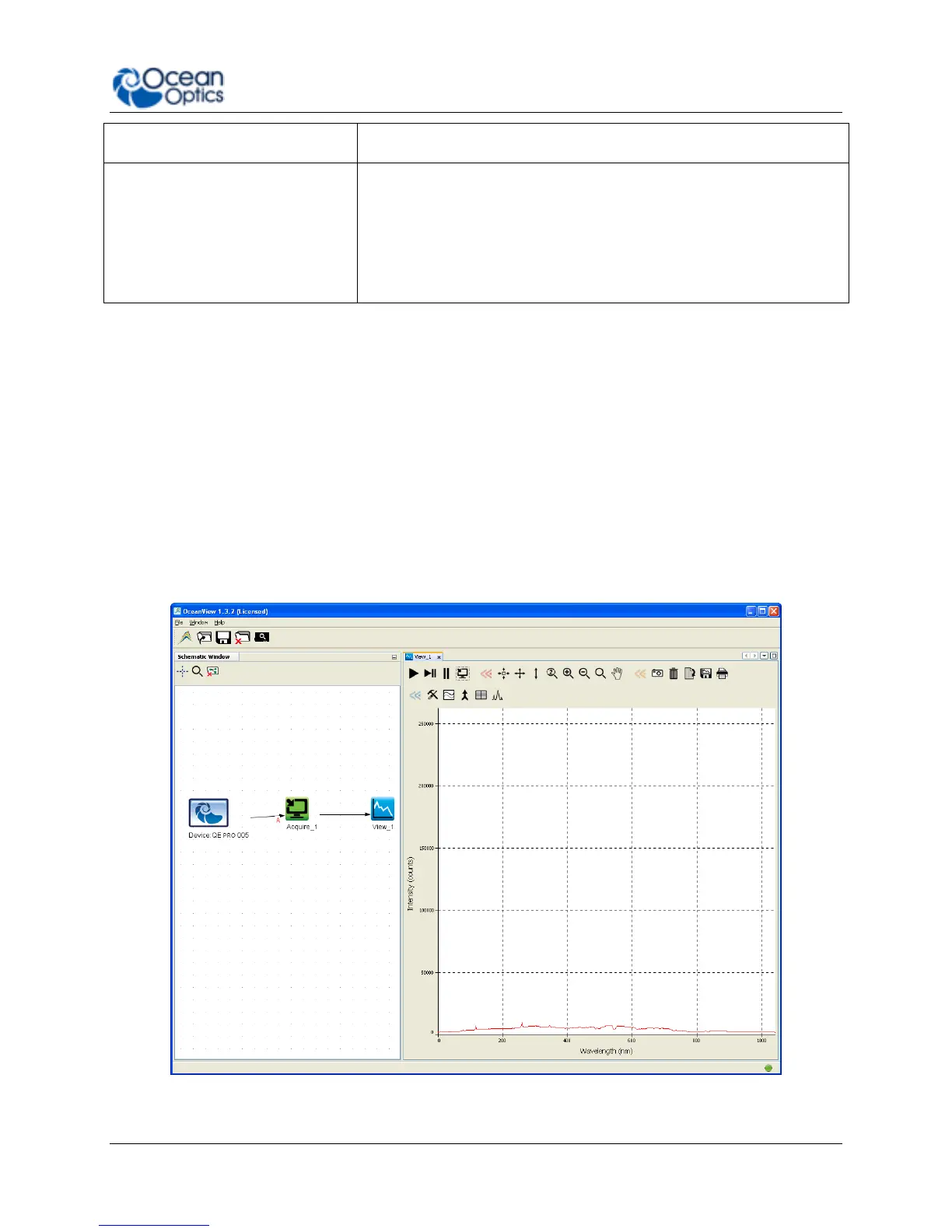
If you have followed the previous steps and started OceanView, your spectrometer appears in the
Schematic and Graph Views:
QE Pro in OceanView


 To Next Page