Appendix A
USB2000 Operating Instructions 33
5. Use the spreadsheet or calculator to calculate the wavelength calibration coefficients. In the spreadsheet
program, find the functions to perform linear regressions.
• If using Quattro Pro, look under Tools | Advanced Math
• If using Excel, look under Analysis ToolPak
6. Select the true wavelength as the dependent variable (Y). Select the pixel number, pixel number squared,
and the pixel number cubed as the independent variables (X). After executing the regression, you will
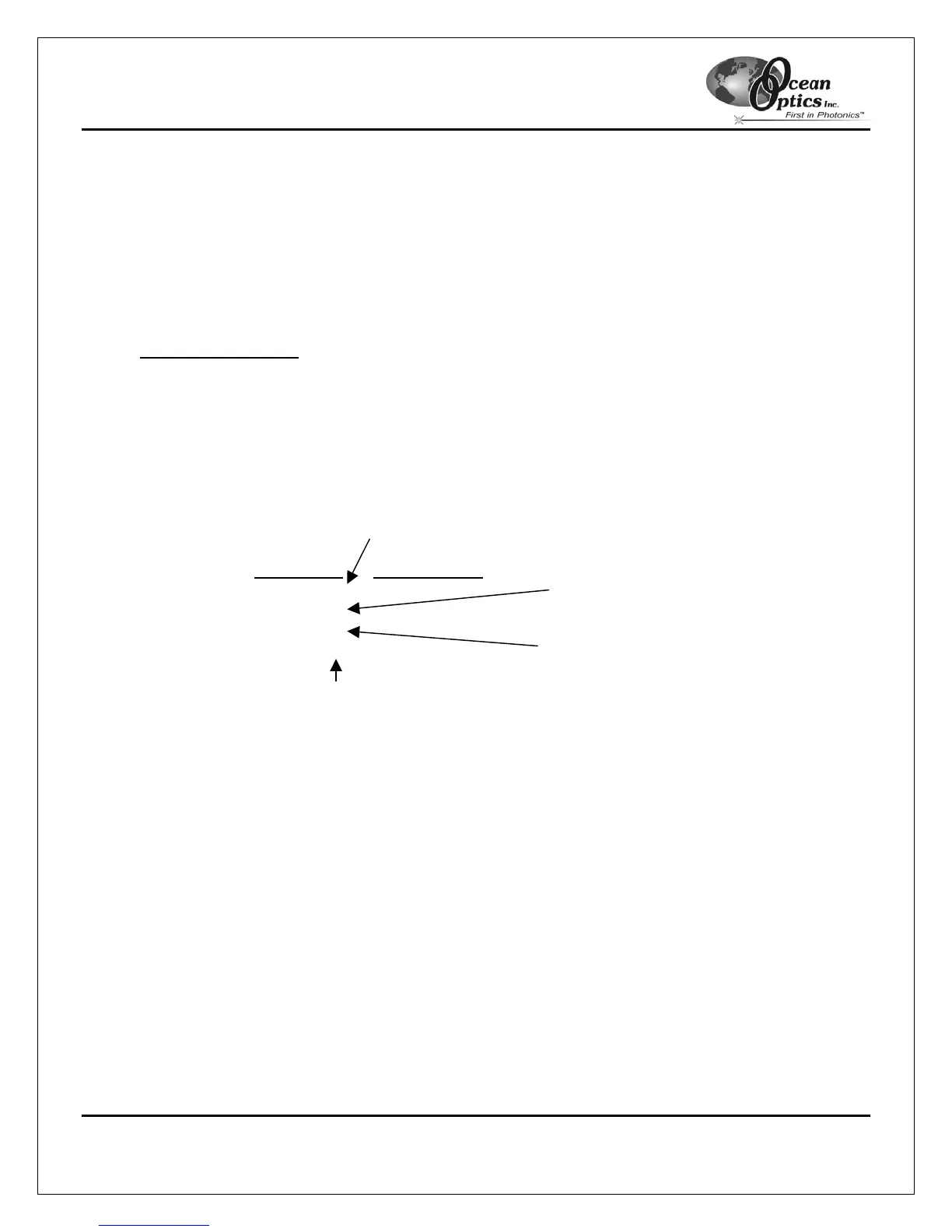
obtain an output similar to the one shown below.
Regression Statistics
Multiple R 0.999999831
R Square 0.999999663
Adjusted R Square 0.999999607
Standard Error 0.125540214
Observations 22
Intercept
Coefficients Standard Error
Intercept 190.473993 0.369047536 First coefficient
X Variable 1 0.36263983 0.001684745
X Variable 2 -1.174416E-05 8.35279E-07
X Variable 3 -2.523787E-09 2.656608E-10 S
econd coefficient
Third coefficient
The figure above notes the numbers of importance.
7. Record the Intercept, as well as the First, Second, and Third Coefficients. Additionally, look at the value
for R squared. It should be very close to 1. If not, you have most likely assigned one of your wavelengths
incorrectly.
Keep these values at hand.



 To Next Page