8
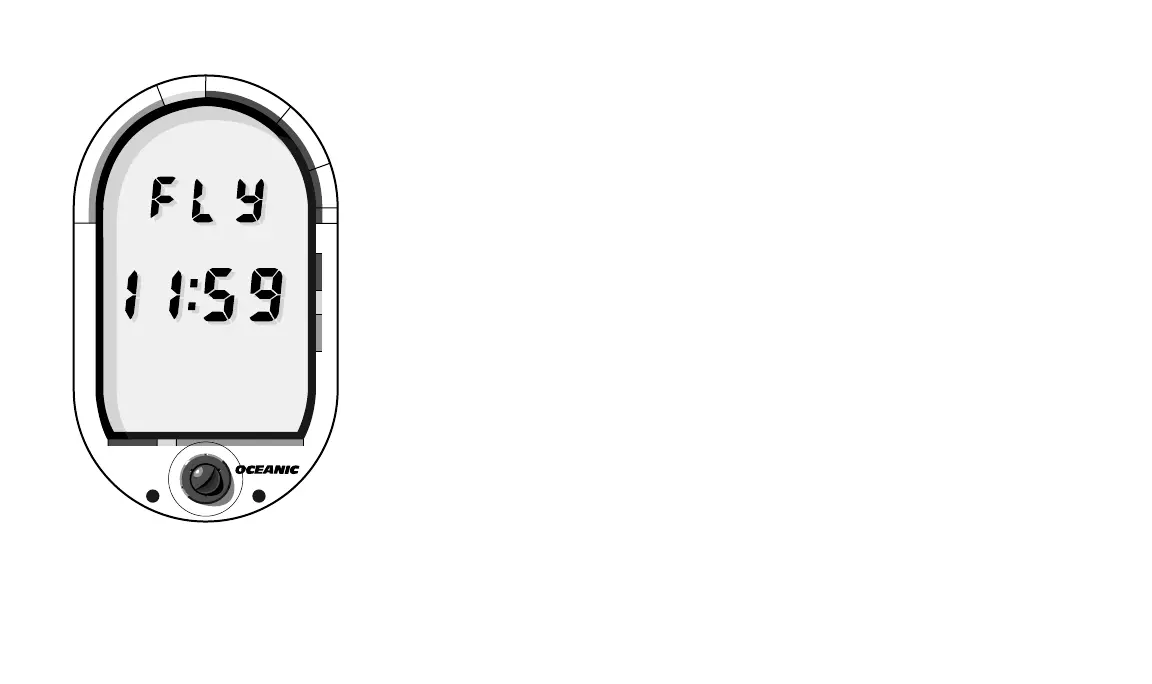
Fig. 7 – Time To Fly Mode
®
DataMax
PRO
®
N
O
D
E
C
O
M
C
Z
.
.
1
0
F
T
S
T
O
P
2
0
F
T
3
0
5000 40003000
T
I
M
E
T
A
N
K
A
S
C
E
N
T
4
0
ALTITUDE DIVING
The DataMax Pro automatically compensates for decreased ambient
pressure when activated at high altitudes up to 14,000 feet. Its program
contains a high altitude algorithm that reduces no-decompression limits to
add a larger zone of caution. Whenever it is activated above 4,000 feet, it will
automatically recalibrate itself to measure depth in feet of fresh water.
KNOWING WHEN TO FLY
Due to the present lack of a complete dataset derived from actual human
testing, there are different recommendations cited by various scientific
organizations for the amount of time a diver should wait before flying after
diving. The DataMax Pro follows one of the more conservative of these, cited
by Divers Alert Network (DAN); that divers wait at least twelve hours before
flying in pressurized commercial aircraft, and at least 24 or more if making
repetitive multi-day or decompression dives. The DataMax Pro easily tracks
how much surface time has elapsed with the Time to Fly display (Fig. 7).
This display begins a twenty hour countdown starting four hours after a
dive. After the timer reaches zero, twenty–four hours have elapsed. Consis-
tent with your training and own good sense, you may choose when
to fly according to the type of diving you have done after consulting
your DataMax Pro to determine the amount of surface time that has
elapsed. To learn more about flying after diving and DAN's guidelines, see
page 28.













 To Next Page