37
GAUGE MODE
The DataMax Pro will operate with limited functions in what is called
“Gauge Mode” up to 24 hours after a dive in which any Immediate or Delayed
Violation Mode was entered. Gauge Mode turns the DataMax Pro into a
digital instrument console without any decompression monitoring functions.
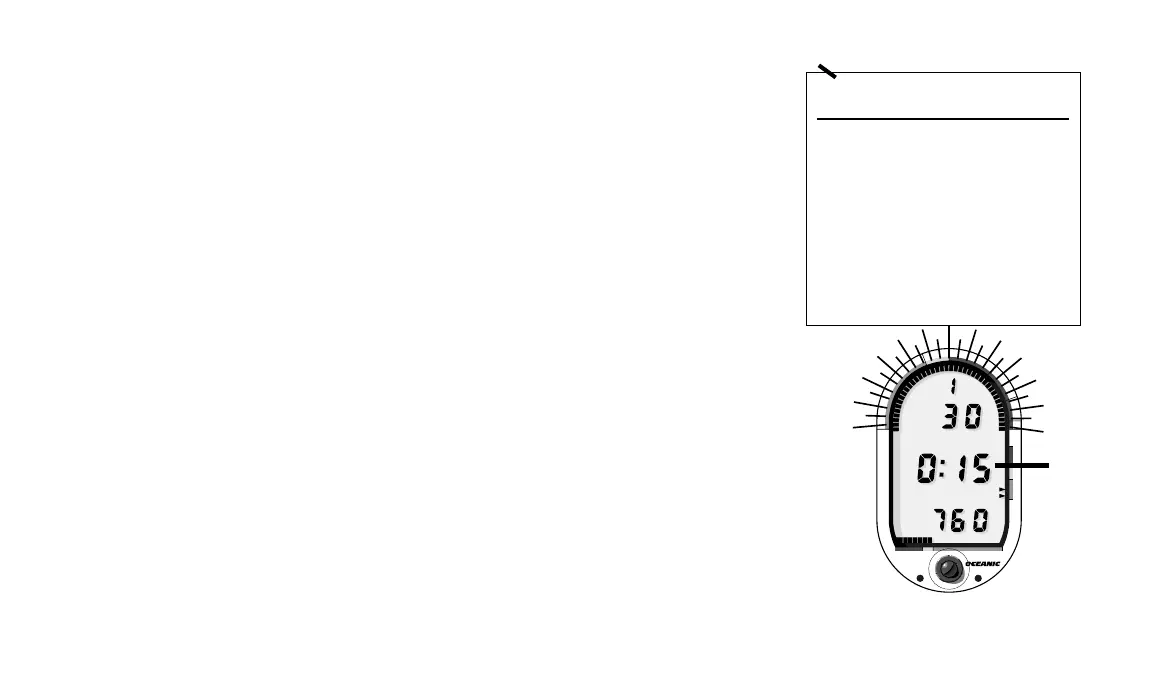
Figure 29a illustrates the changes effected in Gauge Mode.
When in Gauge Mode underwater, the DataMax Pro flashes the TLBG.
Dive Time Remaining will be replaced by Bottom Time (Fig. 29b). You will
see the Mode Label “BOTTOM” immediately above the central time display
and the omission of the AIR, NO DEC, or DEC labels beneath. The colon
separating hours and minutes will also start blinking once per second indicat-
ing a “real time” display. If the DataMax Pro changes to Gauge Mode while
underwater, you have entered an Immediate Violation Mode. Be sure to read
the Violation section thoroughly beginning on page 32.
Above water, Gauge Mode is indicated by the lack of a PDPS or Time to
Fly display. Twelve hours after surfacing, a countdown timer with “triple
dash” display will inform you of the number of hours remaining before
normal operation can resume (see Fig. 29c on next page).
AIR TIME REMAINING DURING DECOMPRESSION
One of the primary reasons that Oceanic recommends strongly against
entering decompression is that it is almost impossible to ensure that you will
have the amount of air needed to perform the required decompression at the
FUNCTION STD. GAUGE
MODES MODE
underwater displays
Air Time Yes No
No decom time Yes No
Decom Time Yes No
Tissue Bar Graph Yes No
All other displays Yes Yes
surface displays
Surface Time Yes Yes
Dive Log Yes Yes
PDPS Yes No
Time to Fly Yes No
Fig. 29 – Gauge Mode
®
DataMax
PRO
®
N
O
D
E
C
O
M
C
Z
.
.
1
0
F
T
S
T
O
P
2
0
F
T
3
0
5000 40003000
T
I
M
E
T
A
N
K
A
S
C
E
N
T
4
0
#
#
DEPTH
DEPTH
BOTTOM
BOTTOM
PSI
PSI
FT
FT
b.
a.













 To Next Page