11
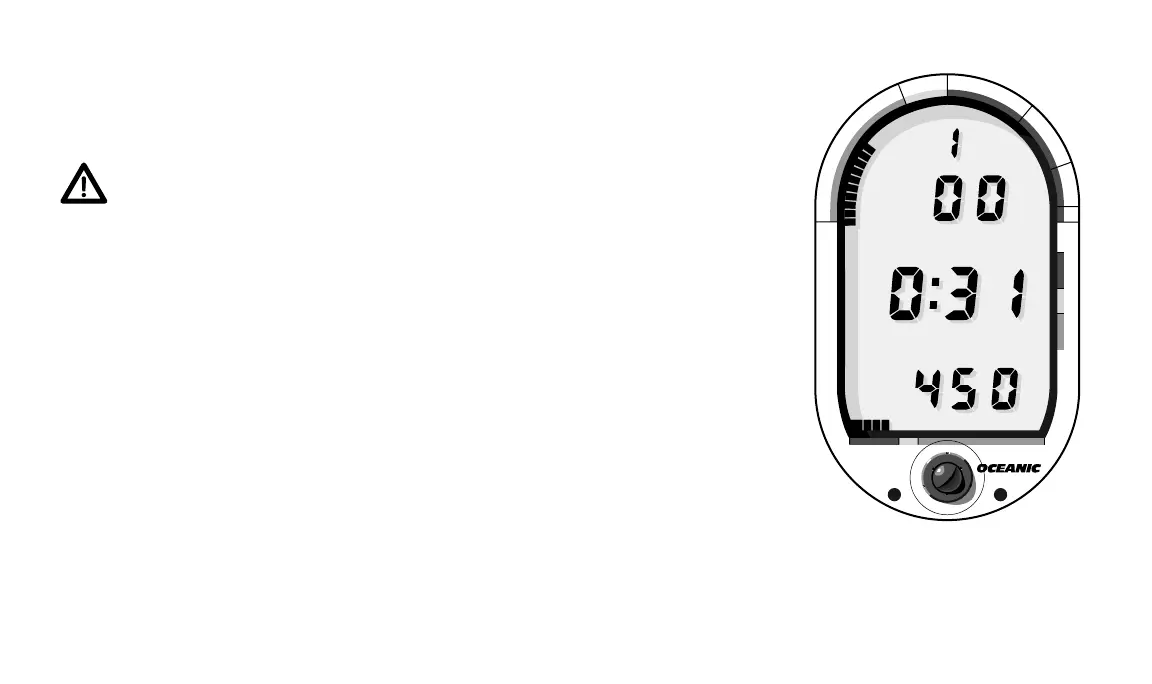
Fig. 9 – Surface Mode
®
DataMax
PRO
®
N
O
D
E
C
O
M
C
Z
.
.
1
0
F
T
S
T
O
P
2
0
F
T
3
0
5000 40003000
T
I
M
E
T
A
N
K
A
S
C
E
N
T
4
0
#
#
DEPTH
DEPTH
SURFACE
SURFACE
PSI
PSI
FT
FT
During Diagnostic Mode, the DataMax Pro measures its own battery
voltage level. If there is not enough battery power to complete a day of
diving, the DataMax Pro will either deactivate itself or not activate at all.
WARNING: If the words "LOW BATT" appear immediately after
activation, Oceanic strongly recommends that you DO NOT dive until
you have obtained battery replacement - especially if you are starting
out on a multi-day dive trip. The voltage level can drop quickly when
the batteries experience a sudden temperature change. (See battery
replacement procedure on page 49.)
2. SURFACE MODE
Surface Mode immediately follows Diagnostic Mode after initial activa-
tion (Fig 9). It also appears after a dive when you ascend shallower than 3
feet. Surface Mode is identified by the Mode Label “SURFACE” immediately
above the Surface Time display. Information available in Surface Mode is
Dive #, Depth, Surface Time, Tank Pressure, plus Tank Pressure and Tissue
Loading Bar Graphs.
3. PRE DIVE PLANNING SEQUENCE (PDPS) MODE
One minute after activation, or immediately after a dive, the PDPS will
appear (Fig. 10). The PDPS displays the Mode Label “PLAN” at the top of
the LCD. This mode automatically scrolls through depths from 30 to 160
feet, in ten foot increments, showing predicted no-decompression dive times













 To Next Page