19
®
DataMax
PRO
®
N
O
D
E
C
O
M
C
Z
.
.
1
0
F
T
S
T
O
P
2
0
F
T
3
0
5000 40003000
T
I
M
E
T
A
N
K
A
S
C
E
N
T
4
0
#
LOG PLAN
DEPTH MAX
SURFACE BOTTOM
NO DEC AIR
M
LOW BATT METRIC PSI
FT
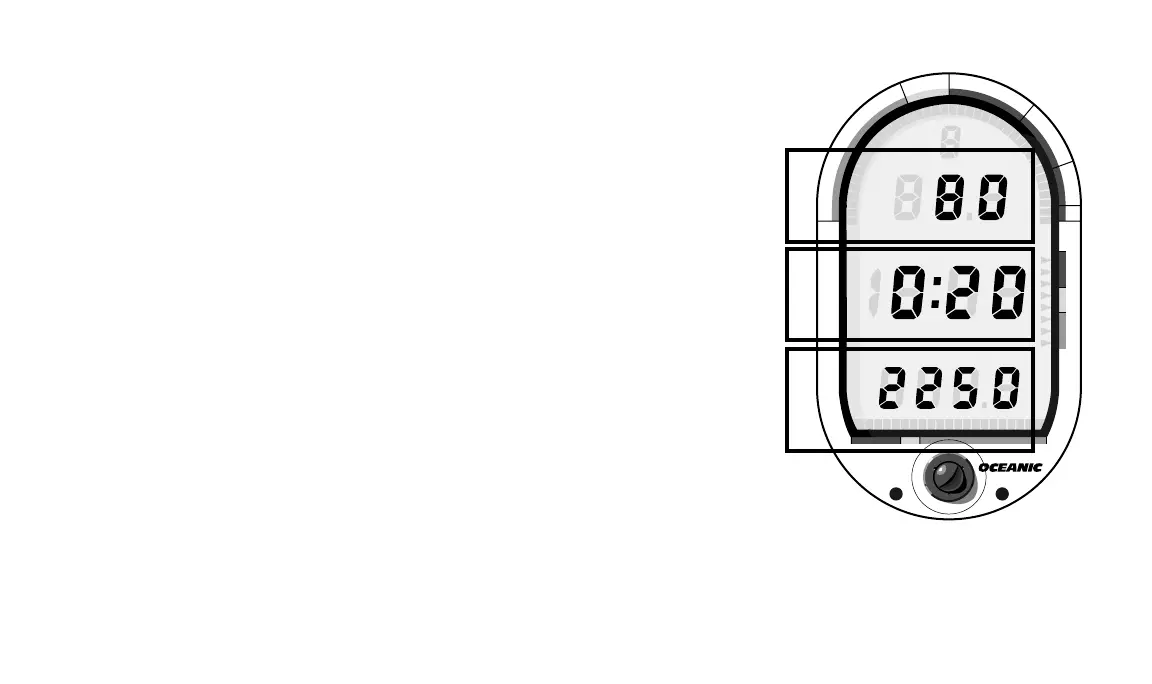
following section describes each display in detail.
Depth Display
The Uppermost portion of the LCD (Fig. 18a) contains a Dive Number
Indicator and the Depth Displays. Depending on the mode that is active, you
may see Depth or Maximum Depth displayed in this area. These displays
indicate depth from 0 to 249 feet in one foot increments (or 0 to 76 meters in
.5 meter increments for the metric version).
Time Display
Located in the middle of the LCD (Fig. 18b), the Time Displays represent
AIR or NO DEC Dive Time Remaining, Bottom, or Surface Times. The
various time displays are in hour:minute format, i.e. 1:06=one hour and six
minutes (not 106 minutes!). The colon that separates the hour and minute
display blinks once per second only when the display is in “real-time.”
Elapsed Surface Time and Bottom Time are real-time displays. Dive Time
Remaining is a calculated projection of time and uses a solid (non-blinking)
colon. This helps you tell the different time displays apart.
Tank Pressure Display
The tank pressure display resides on the lowermost portion of the LCD
(Fig. 18c) and shows how much air is in your tank up to 4,000 psig to the
nearest 10 psi (or .5 kg/cm
2
in the metric version).
Fig. 18 – Display layout
c. PRESSURE b. TIME
a. DEPTH













 To Next Page