3
WARNING - Be sure to inspect your DataMax Pro prior to every dive,
checking for any signs of the entrance of moisture, damage to the
button membrane, or damage to the LCD display, and its general
operation. If these or other signs of damage are found, return the
unit to an Authorized Oceanic Dealer or Oceanic Parts & Service.
DO NOT attempt to use until it has received factory service.
PLANNING YOUR DIVE
Surface mode shows how many dives you have made, your depth, your
surface interval, computed residual nitrogen, and tank pressure. Once a
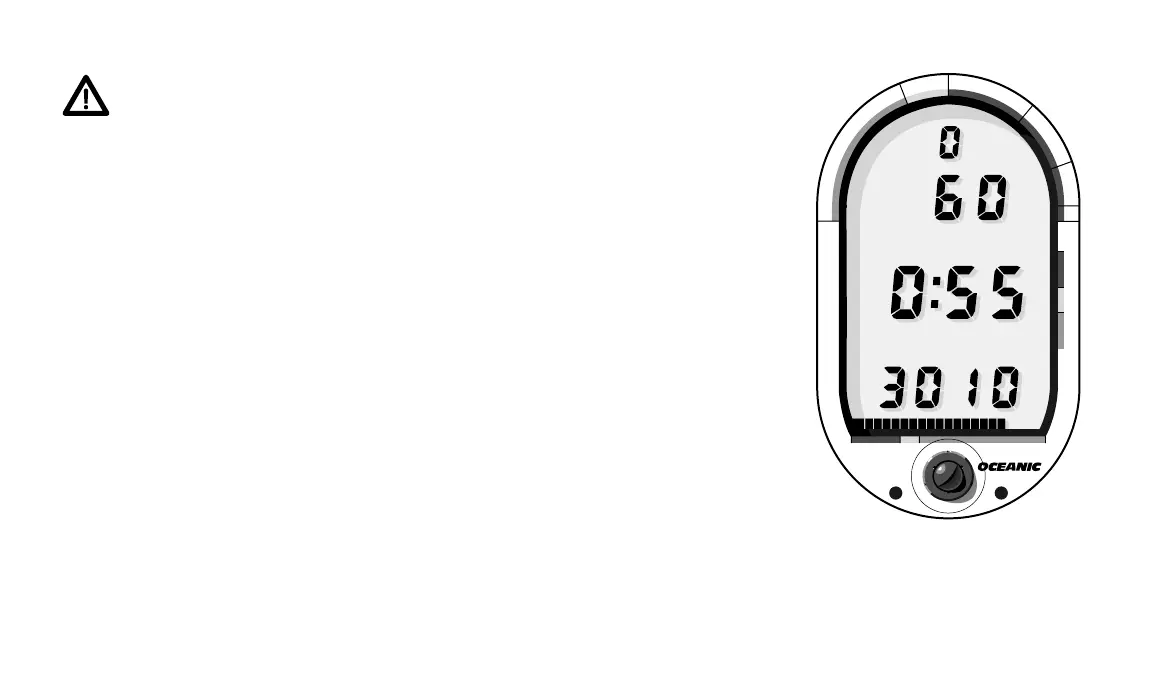
minute, it alternates with another display called the “Pre Dive Planning
Sequence” (Fig. 2). When planning your next dive, the Pre Dive Planning
Sequence provides adjusted no-decompression limits based upon previous
dives made. The PDPS shows depths from 30 to 160 feet in ten foot intervals
and the available no-decompression time for each. This makes dive planning
extremely simple because you know exactly how much time you can spend at
each depth.
MAKING A DIVE
Once you descend below five feet, the DataMax Pro changes to “No-
decompression Dive Mode” (Fig 3). This mode displays dive number, tank
pressure, nitrogen loading, ascent rate and dive time remaining. Dive time
remaining is really two displays in one. It shows the lesser of air time or no-
Fig. 2 – Pre Dive Planning
Sequence
®
DataMax
PRO
®
N
O
D
E
C
O
M
C
Z
.
.
1
0
F
T
S
T
O
P
2
0
F
T
3
0
5000 40003000
T
I
M
E
T
A
N
K
A
S
C
E
N
T
4
0
#
#
PLAN
PLAN
DEPTH
DEPTH
NO DEC
NO DEC
PSI
PSI
FT
FT













 To Next Page